

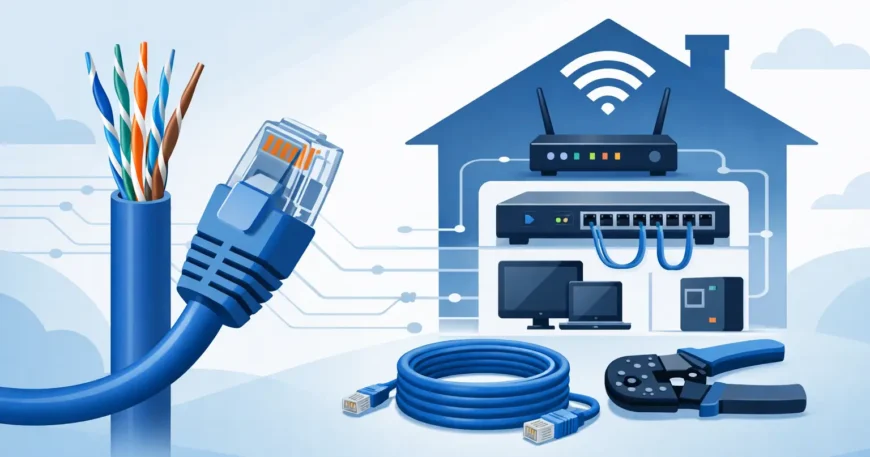
A weak Wi-Fi signal in the back bedroom is annoying. A home office dropping out during a video call, security cameras lagging, or a smart TV buffering every night is a bigger problem. That is usually when cat5e ethernet wiring home upgrades start making sense – not as a luxury, but as a practical fix for rooms and devices that need stable, wired performance.
For many homes, Cat5e still does the job well. It is affordable, widely available, and suitable for a large range of residential network setups when the cabling is planned and installed properly. The key is knowing where it works, where it starts to fall short, and how to wire the home in a way that supports current use without creating a mess later.
Where cat5e ethernet wiring home projects make sense
Cat5e is often a sensible choice for homeowners who want dependable wired internet to key points in the house without overspending. If you are running data cabling to a study, lounge, bedrooms, wireless access points, or CCTV locations, Cat5e can handle gigabit speeds comfortably over standard residential distances. For many homes, that is more than enough for streaming, gaming, work-from-home setups, VoIP, and general network traffic.
It can also suit renovations and retrofits where budget matters. Not every home needs the highest cable category available. If your internet plan, switching hardware, and device mix do not justify a more expensive cable standard, Cat5e can be the practical middle ground between performance and cost.
That said, it depends on how long you expect the cabling to stay in place. Network cable is not like a modem you replace every few years. Once it is in the walls, changing it later is disruptive and more expensive. If you are building new, doing a major renovation, or cabling a larger property, it is worth thinking beyond today’s internet speeds.
What Cat5e can and cannot do
A lot of confusion comes from people assuming all Ethernet cable is basically the same. It is not. Cat5e is designed to support gigabit Ethernet and can perform very well in residential environments. It is proven, reliable, and still common in homes because it meets the needs of many users without pushing up installation cost.
Its limits show up when higher bandwidth, stronger future-proofing, or cleaner support for multi-gigabit networking becomes important. If you are planning a home with heavy local network traffic, large file transfers between NAS devices, multiple high-resolution surveillance cameras, or more advanced smart home systems, Cat6 may be the better fit. It is not always necessary, but the difference matters in some homes.
This is why a proper site assessment matters. The right answer is not always the cheapest cable, and it is not always the highest category either. It is the one that matches the property, the devices, the budget, and the likely upgrade path.
Planning cat5e ethernet wiring home layouts properly
Good home cabling starts with layout, not cable. Before a single run is installed, you need to know where the network should begin, where it needs to go, and what each outlet is expected to support.
Most homes benefit from a central termination point. That could be a communications cupboard, garage rack, utility area, or another location that is secure, dry, and accessible. From there, each cable run should go back to the same location in a structured star layout. This keeps the system organised and makes it easier to test, patch, label, and expand.
The next step is deciding which rooms actually need hardwired connections. A common mistake is under-cabling. Homeowners often ask for one data point in a study and one behind the TV, then add mesh Wi-Fi, smart lighting hubs, cameras, gaming consoles, printers, and access points later. It is usually more cost-effective to install enough cable while the walls or roof space are already accessible.
In practical terms, that often means data points in the home office, media room, main bedrooms, camera positions, and ceiling locations for wireless access points. Running cable to the right places improves both wired performance and Wi-Fi coverage because access points work better when they are hardwired rather than relying on wireless backhaul.
Think about power, hardware and room use
Cable alone does not create a reliable network. The switch, router, modem location, and power access all matter. If your planned network cabinet has no proper ventilation or no nearby power, you have created a future headache. If the router is placed in a poor location because the incoming service was never considered, the whole setup suffers.
It also helps to think room by room. A home office has different needs from a spare room. A media room may need multiple outlets behind a TV unit for streaming boxes, gaming consoles, AV gear, and smart home hubs. Outdoor camera points may need weather-considered installation methods and PoE planning.
Installation quality matters as much as cable type
People often focus on whether they should choose Cat5e or Cat6 and overlook the bigger issue – installation quality. Poor terminations, messy routing, tight bends, cable damage, and unlabeled runs can cause problems regardless of the cable category.
A professional installation should include clean cable paths, proper separation from electrical lines where required, correctly terminated outlets, labelled cable runs, and testing after installation. That is what turns data cabling into a working system rather than a bundle of wire in the roof.
This matters even more in retrofit jobs. Existing homes can present obstacles such as insulation, limited wall access, older building materials, multi-storey layouts, or finished interiors that need to be protected. In those situations, experience counts. The job is not just getting cable from A to B. It is doing it neatly, safely, and with minimal disruption.
Cat5e in renovated homes and existing properties
Retrofitting Ethernet into an existing home is very common, especially as more households rely on stable internet for work, streaming, cameras, and connected devices. The challenge is balancing ideal network design with the realities of the building.
Sometimes the best route is through roof spaces and wall cavities. Sometimes underfloor access makes more sense. In double-storey homes, cabling paths may need more planning to avoid unnecessary cutting and patching. There is rarely a one-size-fits-all approach.
This is also where realistic expectations help. Not every outlet location that looks perfect on paper is practical without major building work. A good installer will explain the trade-offs clearly, suggest workable alternatives, and keep the project aligned with your budget.
For apartment buildings, townhouses, and multi-dwelling properties, the planning becomes more involved again. Shared risers, communications rooms, building rules, and upgrade pathways all need to be considered. Structured cabling in these environments can create real long-term value when it is designed properly from the start.
When Cat5e is enough and when to step up
If your goal is stable internet to key rooms, support for everyday smart devices, streaming, home office use, and general household networking, Cat5e is often enough. It remains a cost-effective option for many homeowners and smaller properties.
If you are wiring a larger home, planning for longer cable life, expecting heavier local traffic, or already investing in newer switching hardware, stepping up to Cat6 may be worth the extra spend. The added cost during installation is often much easier to justify than a full recable later.
This is not about overselling cable. It is about matching the infrastructure to the property and how it will actually be used. A straightforward, well-installed Cat5e system is better than an overcomplicated plan that does not suit the home or budget.
Getting the job done properly the first time
Home network cabling should not feel complicated, but it does need to be thought through. The best results come from treating the wiring as part of the home’s long-term infrastructure, not as a quick fix for poor Wi-Fi. Once the cable is behind the plaster, you want confidence that it was installed neatly, tested properly, and laid out in a way that still makes sense years from now.
That is why many homeowners, property managers, and renovators prefer a single provider who can assess the site, recommend the right cable type, install the runs, terminate the outlets, and make sure the whole network works as expected. For cat5e ethernet wiring home projects, a practical, professional approach saves time, avoids rework, and gives you a network you can rely on.
If you are planning a new build, upgrading an older property, or trying to fix patchy connectivity in the rooms that matter most, start with the layout and the real use case. The right cabling choice is the one that keeps the home connected without creating bigger problems later.


1 Comment
📊 Transfer to you. GO >>> graph.org/BALANCE-36824-US-DOLLARS-04-24?hs=b30219974fa2eb97df5c0b1769675600&
p5f5dx