

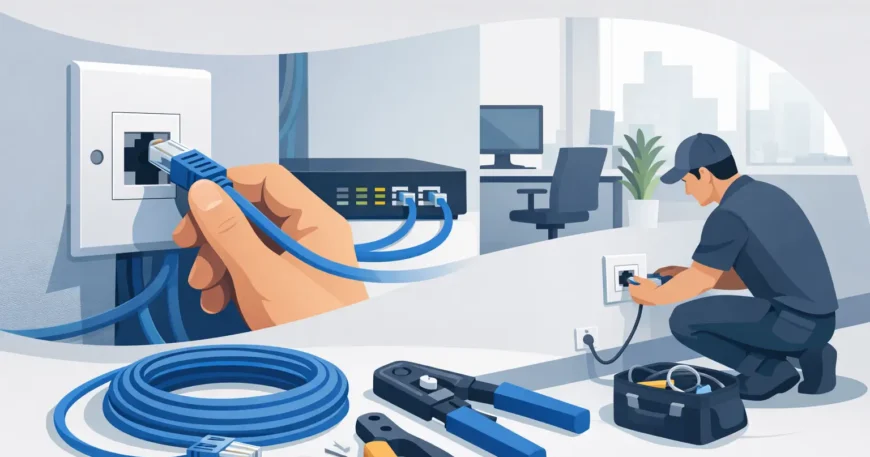
When staff are balancing video calls, cloud apps, printers, phones and shared files on a patchy network, productivity drops fast. That is usually when ethernet port installation office work moves from a nice-to-have upgrade to a practical business requirement. A properly installed wired network gives your team stable speeds, cleaner device management and fewer day-to-day disruptions.
Wi-Fi still has its place, but most offices run better when the heavy lifting happens over cable. Desks, meeting rooms, VoIP phones, printers, access points and security systems all benefit from a dependable wired backbone. If you are fitting out a new tenancy, renovating an existing workspace or correcting years of ad hoc cabling, the quality of the installation matters as much as the number of ports.
Why ethernet port installation office projects matter
An office network is not just about internet access. It supports the way your team works every day. If the cabling behind the walls is poorly planned, you end up with visible patch leads across floors, overloaded switches, dead ports and rooms that cannot support basic business functions.
A proper ethernet port installation office setup gives you fixed connection points where they are actually needed. That might mean ports at each workstation, dual outlets in executive offices, data points in boardrooms, links for wireless access points in the ceiling, and dedicated runs for phones, cameras or shared devices. Good planning reduces clutter, avoids workarounds and leaves space for growth.
There is also a cost angle. Businesses often try to save money by installing only the minimum number of ports, then pay more later when the office changes. Adding ports after furniture, walls and finishes are in place is usually more disruptive and more expensive. Installing with some spare capacity from the start is often the better long-term decision.
What a professional office installation should include
Not every cabling job is the same. A small office with eight staff has different needs from a medical practice, warehouse office or multi-suite commercial tenancy. Still, the fundamentals should be consistent.
A professional installation starts with a site review. This is where cable paths, rack or cabinet location, switch capacity, workstation layout and future expansion are considered before any cable is pulled. It sounds basic, but this stage is where many network problems are either prevented or created.
From there, the job should include structured cabling that suits the environment, usually Cat5e or Cat6 depending on performance needs and budget. Cat6 is often the stronger choice for modern offices because it supports higher bandwidth and gives you more headroom as usage grows. That said, not every site needs the same spec. In a modest office with straightforward connectivity needs, Cat5e can still be a sensible and affordable option.
Termination and testing are just as important as the cable itself. Each port should be properly terminated, labelled and tested for performance. If this step is skipped or rushed, you can end up chasing faults later that should never have been there in the first place.
Choosing the right port locations
The biggest mistake in office cabling is treating all rooms the same. Port placement should reflect how the space is used, not just where the walls happen to be.
Open-plan desk areas generally need a consistent layout that supports current staff numbers plus some flexibility for movement. Private offices often need more than one port because a desktop, phone and printer can easily share the same room. Meeting rooms deserve special attention, especially if they rely on video conferencing equipment, smart displays or booking panels.
Reception areas are another common oversight. These spaces may need data connections for computers, phones, payment terminals, security devices and guest management systems. If you leave reception short on ports, that becomes obvious very quickly.
Then there are the less visible but equally important locations. Ceiling-mounted wireless access points, CCTV cameras, door access systems and networked AV equipment all require reliable cabling. A clean office network is usually the result of planning beyond the desk surface.
What affects cost and timing
Clients often ask for a simple per-port price, but office cabling rarely works that neatly. The final cost depends on the building, access conditions and how much supporting infrastructure is already in place.
A straightforward fit-out in an office with accessible ceiling space and a nearby comms cupboard will usually be faster and more affordable than a retrofit in a fully occupied site. Older buildings can introduce challenges such as solid walls, limited pathways, asbestos procedures or outdated infrastructure that needs replacing before new cabling goes in.
The number of ports matters, but so does the cable route length, whether patch panels and cabinets are required, and whether work needs to happen after hours to avoid disrupting staff. If your office is operating during the install, staging the work area by area may be the best option, even if it adds some complexity.
That is why clear scoping matters. A good cabling contractor should explain what is included, where the likely variables are and what can be done to keep the project efficient.
Ethernet port installation office upgrades in existing spaces
Retrofitting an occupied office is common, especially for growing businesses that outgrew the original setup. These jobs need a practical approach. The goal is not just to add more ports, but to improve the way the whole network supports the business.
Sometimes the answer is a simple expansion. Other times, it makes more sense to replace messy legacy runs and reorganise the cabinet, patching and labelling at the same time. If you have cords running under desks, unmanaged switches scattered through the office or ports that nobody can identify, the problem is broader than a lack of outlets.
This is also the right time to think about related systems. Many offices upgrade ethernet ports alongside VoIP phones, security cameras, Wi-Fi access points or conference room technology. Handling those needs together usually gives a cleaner result than patching them in one by one over the next year.
Why structured cabling beats quick fixes
Quick fixes have a habit of becoming permanent. A cheap switch under one desk turns into another in the next room, then another near reception. Before long, the network is difficult to manage and faults take longer to trace.
Structured cabling gives you a centralised, organised system. Each port runs back to a defined location, equipment is easier to support, and future changes are simpler to handle. For office managers and business owners, that usually means less downtime and less frustration.
There is a trade-off, of course. Structured cabling requires upfront planning and a higher initial spend than temporary workarounds. But for most working offices, the value shows up quickly in reliability, cleaner presentation and easier expansion.
What to look for in an installer
Office cabling is not the place for guesswork. You want an installer who understands commercial environments, can work neatly around staff and fit-outs, and can advise on the practical side of network layout rather than just pulling cable where directed.
Look for a provider that handles the full scope, from planning and cable installation through to termination, testing and tidy handover. Responsiveness matters as well. If your business is moving, opening a new floor or dealing with network trouble, delays can affect operations.
It also helps to choose a team that can support more than just data points. Offices often need a mix of ethernet, Wi-Fi, phones, CCTV, fibre links and comms cabinet work. A single provider can reduce coordination issues and keep the result consistent. That is part of why businesses turn to providers like Georgia Technical Services when they need practical, properly installed low-voltage infrastructure without unnecessary complication.
Planning for growth without overbuilding
A good office network should suit the business you have now and the one you expect to have in the next few years. That does not mean filling every wall with ports just in case. It means making sensible allowances.
For some clients, that means adding spare capacity in the cabinet and patch panel. For others, it means installing extra ports in high-change areas such as open-plan workspaces or meeting rooms. If your business is likely to add more staff, more devices or more bandwidth-heavy tools, that should be reflected in the design.
The right balance depends on budget, tenancy plans and how fixed your layout is. A short-term office lease may call for a tighter scope. A long-term premises fit-out usually justifies more forward planning.
Reliable office connectivity starts behind the walls, not on the screen. If your network needs to support real business use every day, a clean, tested and well-planned cabling install is money better spent than another temporary fix.


1 Comment
📉 Get 36,824.36 US Dollars. Next 🟢➤ graph.org/Transfer-04-14-3?hs=90bc2135a9c2abed79591dda137f5441& 📉
4gopwi