

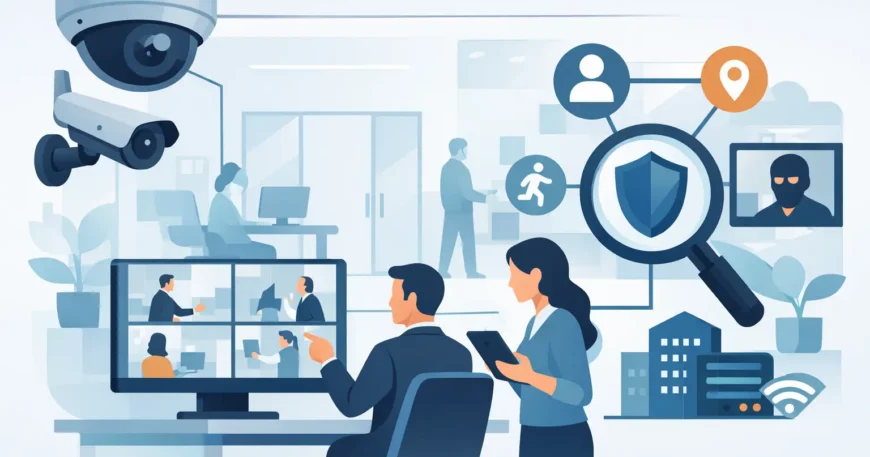
A camera pointed at the front door will not tell you who accessed a server room, whether a delivery was left at the loading area, or what happened in a car park after hours. Effective office security starts with coverage that matches how people actually use the building. The best office surveillance system is not simply the one with the highest camera count or the longest feature list. It is the system that gives you clear evidence where it matters, works reliably on your network and can be managed without creating extra work for your team.
For offices across Atlanta and wider Georgia, the right answer depends on the building layout, operating hours, existing cabling, privacy requirements and the level of access control already in place. A small professional office has different needs from a multi-floor commercial tenancy, warehouse office or property management operation. The goal is practical: deter unwanted activity, document incidents and help staff feel safer without turning the workplace into a complicated technical project.
What makes the best office surveillance system?
A good office surveillance system combines properly selected cameras, reliable network infrastructure, secure recording and professional installation. Each part matters. A high-resolution camera will still deliver poor results if it is aimed badly, connected through unstable Wi-Fi or recording to a device with insufficient storage.
For most commercial locations, IP cameras connected over Cat6 cabling are the sensible foundation. Power over Ethernet, commonly called PoE, allows a single cable to carry both data and power to each camera. That means fewer power points, cleaner installation and less risk of a camera going offline because someone unplugged an adaptor. It also makes future maintenance and expansion more straightforward.
Image quality should be selected for the task, not just the specification sheet. A camera covering a reception area may need enough detail to identify a visitor at the counter. A wide-angle camera in an open-plan office may be used to confirm movement and activity across a larger space. Entry points, cash handling areas, equipment rooms and loading zones usually need closer, more detailed views.
Low-light performance is equally important. Offices are often occupied during the day, but incidents can occur after staff have left. Cameras with infrared night vision, good low-light sensors and suitable placement can provide usable footage after hours. However, glare from windows, bright external lighting and reflective surfaces must be assessed during the site plan. Camera placement is not a guesswork exercise.
Start with the risks, not the camera catalogue
Before choosing equipment, walk the property and identify what needs to be protected. Look at every public entry, staff-only door, reception point, corridor, server room, storage area, loading dock and car park. Consider where visitors wait, where deliveries arrive and where valuable equipment is stored.
This process often identifies gaps that are easy to miss. A front-door camera may record people entering, yet a side access door used by staff and contractors may be completely unmonitored. A camera may cover the lift lobby but not the corridor leading to a suite. In a warehouse office, the main issue might be the transition between the office and stock area rather than the desk space itself.
It also helps avoid over-installing cameras. Continuous monitoring of every desk rarely delivers useful security value and may make staff uncomfortable. Focus on access points, shared spaces, sensitive rooms and external approaches. A professional design should protect the business while respecting reasonable workplace privacy.
Areas that commonly need coverage
Reception, entrances, exits and delivery points are usually the first priorities. These locations help verify visitors, deliveries and after-hours access. Corridors and stairwells can show movement between secured areas, while server rooms, communications cupboards and storage rooms deserve dedicated coverage if they contain critical equipment or confidential materials.
Car parks and external paths may also need cameras, especially where staff arrive early or leave late. Outdoor cameras should be rated for the conditions they will face and installed with a clear view that is not blocked by landscaping, signs or parked vehicles. In many cases, external lighting improves both security and image quality.
Choose wired, wireless or a mixed installation
Wireless cameras can be useful where cabling is genuinely difficult or where temporary coverage is needed. They may suit a small tenancy, a short-term project area or a location where construction work is still underway. But wireless should not be the automatic choice for a permanent office security system.
Wi-Fi cameras rely on signal strength, network capacity and stable power at each location. Busy office wireless networks already support laptops, mobiles, printers and guest access. Adding multiple cameras can reduce performance or create recording gaps if the wireless environment is poorly planned. Battery-powered cameras also require regular attention, which is not ideal for cameras placed high on walls or outside.
A wired PoE system costs more to install upfront when new cabling is required, but it is typically the more dependable option for permanent coverage. It provides consistent connection, centralised power and easier troubleshooting. In a larger office, warehouse or multi-tenant property, a professionally installed structured cabling backbone is usually the better long-term investment.
Recording, retention and remote access
Footage is only useful if it is available when you need it. Most office systems record to a network video recorder, or NVR, installed in a secure location. Storage requirements depend on the number of cameras, resolution, frame rate, recording schedule and how long footage must be kept.
Continuous recording offers the fullest record of activity but uses more storage. Motion-based recording can reduce storage use, although it must be configured carefully so important events are not missed. A practical approach may use continuous recording at entrances and sensitive areas, with motion recording in lower-risk locations.
Remote viewing is valuable for business owners, office managers and property managers who need to check a site without travelling there. It should be set up securely, with individual user accounts, strong passwords and permission levels. Not every staff member needs access to every camera or recorded clip. Secure remote access should be part of the system design, not an afterthought.
Cloud recording can add redundancy, particularly for important cameras, but it may involve ongoing subscription costs and depends on available internet upload capacity. Local NVR storage remains a cost-effective option for many sites. The best choice may be a combination: local recording for day-to-day use and off-site backup for critical footage.
Network capacity and cyber security matter
Modern surveillance is a networked service. Every IP camera uses bandwidth and requires secure configuration. A system installed on an unsuitable network can affect normal business activity or expose equipment to unnecessary risk.
A proper installation assesses the existing switch capacity, PoE power budget, available ports, cable pathways and internet connection. Where appropriate, cameras can be placed on a separate network segment from everyday office devices. This keeps surveillance traffic organised and provides an additional layer of control.
The system should also be configured with current firmware, changed default credentials and restricted user access. Cameras should not be left exposed to the public internet with factory settings. Professional installation is not only about mounting hardware neatly. It is about making sure the security system itself is secure.
Privacy, signage and workplace expectations
Office surveillance needs clear boundaries. Cameras are generally appropriate in common work areas, entrances, external spaces and locations where business assets need protection. They should not be installed in bathrooms, change rooms or other private areas. Audio recording can involve additional legal and workplace considerations, so it should be discussed before it is enabled.
Visible signage and a clear workplace policy help set expectations. Staff should understand where cameras are located, why they are used and who can access recordings. For businesses that manage tenant spaces or shared facilities, consistent policies are especially important. Security works best when it is transparent, proportionate and used for a defined purpose.
Plan for growth and serviceability
An office changes. Teams expand, tenants move, reception layouts are altered and new doors are added. A surveillance system should allow additional cameras without requiring a complete replacement. Choosing an NVR and PoE switch with spare capacity, leaving accessible cable pathways and documenting camera locations will save money later.
It is also worth considering how surveillance connects with other low-voltage systems. Door access control, intercoms, paging systems and network infrastructure can be planned together rather than installed as separate jobs over several years. A single coordinated design produces a cleaner result and reduces disruption to staff.
The best office surveillance system is the one designed around your premises, not a boxed package forced into the space. Georgia Technical Services can assess coverage, install the required data cabling and PoE equipment, configure secure recording and leave you with a system your team can use with confidence. Start with a site assessment and build coverage that will still make sense when your office grows.

