

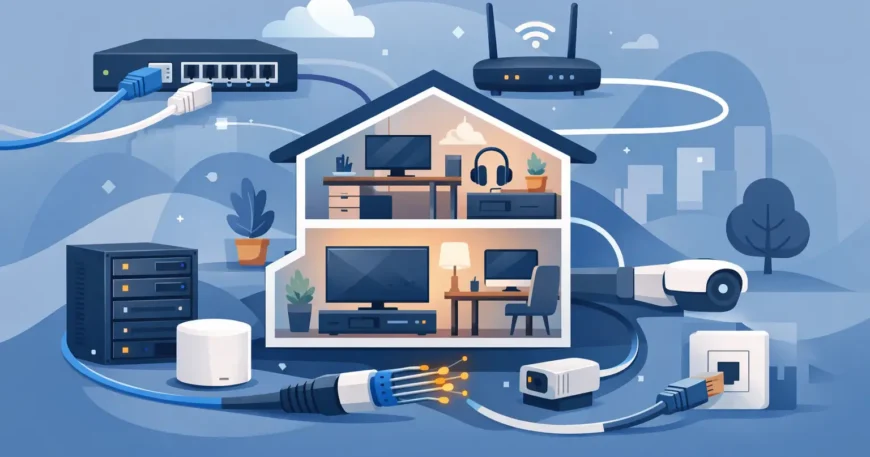
A video call freezing while someone else streams 4K television is rarely an internet plan problem alone. In many homes, the weak point is Wi-Fi trying to carry every device through walls, floors and interference. The best home ethernet setup ideas solve that problem at the source: they create a wired backbone that gives the devices that matter most a dependable connection.
A properly planned home network does more than improve download speeds. It supports working from home, gaming, streaming, IP cameras, smart televisions, access points and future upgrades without a tangle of temporary leads. The right approach depends on the size of the property, construction type, current cabling and how the household uses the network.
Start With a Central Network Location
Every effective Ethernet installation needs a sensible home base. This is the location for the internet service connection, router, network switch and structured wiring panel. In a new build, this may be a dedicated communications cupboard. In an existing home, it could be a utility room, study cupboard, garage or other protected area with power, ventilation and practical cable access.
Avoid placing core equipment in a cramped roof space, a damp location or behind a television cabinet where heat and access become problems. The central point should allow a technician to label, test and service each cable run without moving furniture or disrupting the household.
For larger homes, a wall-mounted rack or compact network cabinet keeps equipment orderly. It can hold a patch panel, switch, router, fibre termination and power protection in one place. This is cleaner than loose equipment on a shelf and makes future changes much easier.
Use Cat6 Cabling for New Runs
For most residential installations, Cat6 is the practical choice. It supports gigabit networking comfortably and gives a solid foundation for higher-speed equipment over suitable distances. Cat5e can still handle many everyday home uses, but installing new Cat5e when walls are open often creates an avoidable limitation later.
Cat6A may be worth considering for a large property, a high-end build or areas where 10-gigabit performance is a clear future requirement. It is thicker, less flexible and usually more costly to install, so it is not automatically the best answer for every house. The cable choice should match the expected use, budget and pathway available.
Quality installation matters as much as cable category. Cables need correct bend radius, appropriate separation from electrical wiring, proper termination and testing at both ends. A cable labelled Cat6 does not deliver Cat6 performance if it is poorly installed or terminated.
Run More Outlets Than You Need Today
One of the best home ethernet setup ideas is simple: add spare cable runs while access is available. Installing one outlet in a study might meet today’s needs, but two outlets provide room for a desktop computer, phone, printer, access point or a future change in furniture layout.
Prioritise fixed locations where a wired connection delivers a noticeable benefit. These commonly include the home office, main television area, media room, gaming space and any room likely to become a study or bedroom. A well-planned installation can also include outlets in the garage, outdoor entertaining area or workshop where connectivity is increasingly useful.
At television locations, consider several Ethernet ports rather than one. A smart TV, streaming box, game console, AV receiver and set-top unit can quickly use available connections. Extra ports cost far less during installation than reopening walls later.
Wire the Wi-Fi Access Points, Not Just Devices
Ethernet and Wi-Fi are not competing choices. The strongest home networks use Ethernet to support Wi-Fi properly. Instead of relying on one router at the edge of the house, install wired access points in locations that provide even coverage.
This approach is especially useful in double-storey homes, long floorplans, brick construction and properties with concrete or foil insulation that weakens wireless signals. A wired access point receives its data through Ethernet, rather than repeating a weaker wireless signal from another point in the house.
Ceiling-mounted access points can provide excellent coverage when included during construction or renovation. In existing homes, discreet wall or shelf locations may be more practical. The important point is to plan the cable run and location based on coverage, not simply where a power outlet happens to be available.
Many access points can use Power over Ethernet, known as PoE. This allows one network cable to carry both data and power, removing the need for a separate power point at the access point location. A compatible PoE switch or injector is required, and the network should be designed for the expected power load.
Give Security Cameras Their Own Wired Foundation
Wireless cameras have their place, but wired IP cameras are generally the more dependable choice for permanent security coverage. They avoid Wi-Fi congestion, do not rely on frequent battery changes and can be powered through PoE. For cameras at entry points, driveways, side gates and larger outdoor areas, this can make a major difference to reliability.
A central recorder or network video recorder can sit near the main network equipment, with dedicated Cat6 runs to each camera. This keeps the installation organised and supports clearer footage, consistent recording and easier fault finding.
Camera locations should be planned alongside lighting, sightlines and privacy considerations. Installing a cable to a poor camera position does not create effective security. A practical site assessment helps identify coverage gaps before walls are closed or conduits are installed.
Plan for the Home Office and Entertainment Areas
A stable wired connection is particularly valuable where interruptions cost time. In a home office, Ethernet can support video meetings, cloud backups, VOIP phones and large file transfers without competing as heavily with household Wi-Fi use. A dual outlet is often a sensible minimum, particularly where a docking station, desktop and phone may share the space.
For entertainment areas, wired connections reduce buffering and improve consistency for streaming and online gaming. They also make it easier to position network equipment cleanly behind wall-mounted displays. If the room includes a projector, surround sound equipment or a media cabinet, plan outlet positions around the final layout rather than the room’s current furniture.
Keep the Installation Neat, Labelled and Testable
A home network should not become difficult to manage the moment it is finished. Every cable should be labelled at the patch panel and the wall outlet, using names that make sense to the household. “Study desk”, “family room TV” and “upstairs access point” are more useful than unexplained numbers.
Terminating cables into a patch panel at the central location gives a professional finish and allows individual rooms to be connected, moved or upgraded through short patch leads. It also avoids the strain and mess created when long in-wall cables are plugged directly into network equipment.
Testing is essential. Each run should be checked for continuity and correct termination, and the installer should confirm that the connection performs as intended. This is the difference between a system that looks tidy and one that works reliably when it is needed.
Leave Capacity for What Comes Next
Network needs tend to grow quietly. A spare conduit, an empty section of cable tray or several unused patch-panel ports can save significant cost when a new camera, access point, office or media device is added later. If fibre internet is available now or likely to arrive in the area, allow suitable space at the central network location for its termination equipment.
For renovations, new builds and larger upgrades, professional design prevents common problems such as poorly placed outlets, overloaded Wi-Fi, exposed cable routes and inaccessible equipment. Georgia Technical Services provides practical structured wiring and network installation for homeowners who want the work completed cleanly, tested properly and ready for the way they actually live.
The best result is not the network with the most equipment. It is the one with the right wired connections in the right places, enough capacity for the next change, and a layout that remains easy to service years from now.

