

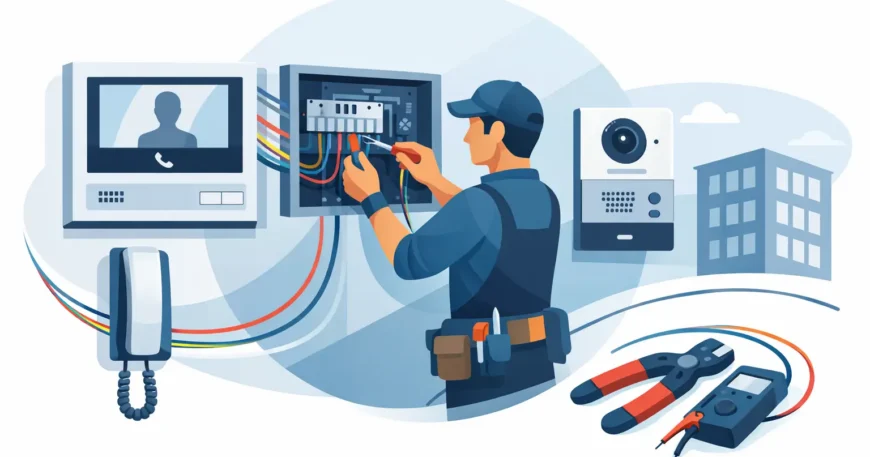
A door station that looks modern but drops audio, releases the wrong lock, or fails whenever the network is busy is not a security upgrade. It is a daily frustration. Professional intercom system wiring installation starts with the cabling path, power requirements and access-control plan, not simply mounting screens and door panels after the build is finished.
For homes, offices, warehouses and multi-dwelling properties, the right wiring makes an intercom easier to use, easier to service and ready for future upgrades. The wrong approach can leave visible cables, unreliable calls, costly wall repairs and equipment that cannot grow with the property.
Start with what the intercom needs to do
An intercom can be as simple as a gate call button connected to one internal handset. It can also be part of a broader system that includes video calling, multiple entry doors, lift control, electric strikes, magnetic locks, CCTV cameras, mobile-app access and visitor records. The wiring design changes considerably between those two setups.
Before cable is run, identify every entry point and every location where users need to answer calls. A detached home may need a front gate station, a front door panel and indoor screens. An office may need reception, a loading dock, staff-only doors and controlled access to a server room. Apartment buildings need a clear plan for common entrances, individual units, management access and any future tenant turnover.
This is also the time to decide whether the system will be analogue, digital or IP-based. Older analogue systems can suit a straightforward replacement where existing wiring is in good condition. Digital and IP intercoms generally offer more features and better scalability, but they need properly planned network cabling, switching capacity and power. There is no one-size-fits-all answer. The practical choice depends on the building, number of users, security requirements and budget.
Plan cable routes before walls and ceilings close
Cable routes are where a tidy, dependable installation is won or lost. New construction gives installers access to framing, ceiling cavities and service risers before finishes go in. Renovations and retrofits require more care, particularly in concrete buildings, occupied offices and apartment blocks where access is limited.
A professional installer surveys the route from the door station to the communications cabinet, network switch, power source and indoor stations. They check for fire-rated walls, existing conduits, electrical services and areas where cable may be exposed to weather, impact or tampering. Exterior gates and door stations need cable rated for the environment and protected from moisture, sunlight and physical damage.
Conduit is often worth the extra planning effort. It protects low-voltage cable and allows a replacement or additional cable to be pulled later without opening walls or digging up landscaping. This matters at driveways, gates, car parks and shared building entries, where a damaged cable can be expensive to reach.
Keep low-voltage intercom wiring appropriately separated from mains electrical cabling. Separation helps reduce interference and supports a safer, more orderly installation. Where pathways must cross, installers use suitable methods and follow applicable electrical, building and fire requirements.
Choose the cable around the system, not the label
Many modern IP intercoms use Cat5e or Cat6 cable. Cat6 is often the better long-term choice for new work because it supports higher network performance and leaves capacity for equipment changes. Depending on the device, a single network cable may carry data and Power over Ethernet, known as PoE. That can reduce the need for a separate local power supply at the door station.
However, not every component runs on Ethernet. Electric strikes, magnetic locks, gate controllers, request-to-exit devices, sensors and emergency release equipment may require separate low-voltage power and control cable. Video, audio and legacy systems can have their own cable specifications. Using whatever cable is already on hand can create faults that are difficult to diagnose later.
Cable should be labelled at both ends and documented at installation. In a small home, that saves time during a service call. In a commercial property or MDU, it is essential. Clear labels tell the next technician which door, unit, panel or controller each cable serves without turning a fault repair into a tracing exercise.
Power and network design determine reliability
Door stations, indoor monitors, network switches and access-control hardware need stable power. A system may operate normally during a quick demonstration but become unreliable when a strike releases, a gate motor starts, or several stations are calling at once. Power load, voltage drop and backup requirements need to be considered before equipment is selected.
For IP systems, the PoE switch must provide enough power across all connected devices, with room for additional stations and cameras if expansion is likely. A managed switch can also help separate security devices from general office traffic, making faults easier to isolate and improving control over the network.
Where security and access continuity matter, a properly sized uninterruptible power supply can keep key equipment running through brief outages. The level of backup depends on the site. A single-family residence may only need a practical short-duration solution. A warehouse, medical practice, apartment entry or business with controlled doors may need a more detailed continuity plan, including safe egress arrangements.
Do not treat the intercom as an isolated device. If it shares a network with CCTV, Wi-Fi, VoIP phones and business systems, the network must be designed to handle that workload. Poorly terminated cable, overloaded switches and weak Wi-Fi coverage can all affect app-based calling and video quality. Wired connections remain the dependable choice for fixed intercom devices wherever a cable route is available.
Intercom system wiring installation for apartments and retrofits
Multi-dwelling installations need a different level of planning. Each unit may require an individual station or app connection, while the property also needs secure common-door access, reliable visitor calling and a manageable system for staff. Cable risers, floor distribution points and communications cupboards must be organised so the installation can be serviced without disrupting every resident.
Retrofit work presents particular challenges. Existing pathways may be full, undocumented or unsuitable for new cable. Older buildings can contain a mix of telephone wiring, coaxial cable and abandoned systems that are no longer fit for purpose. A site inspection identifies what can be reused safely and what should be replaced.
For property owners modernising an MDU, it can be efficient to coordinate intercom work with structured cabling, fibre backbone infrastructure, CCTV and owner-supplied internet services. Planning these systems together reduces duplicated labour, avoids competing cable routes and creates a cleaner result. It also gives the property a stronger foundation for future tenant expectations.
Installation quality shows up after the technician leaves
Good workmanship is not limited to equipment that powers on. It includes neat cable support, protected penetrations, correctly fitted grommets, weatherproof external connections, secure terminations and labelled patch panels. Equipment should be mounted at practical heights and positions, taking into account visitors, deliveries, accessibility needs and camera view angles.
Testing should cover more than a call from the front door to one screen. Each station should be checked for two-way audio, video clarity where fitted, door release operation, call routing, mobile notifications, network connection and backup behaviour. For access-controlled doors, installers should test that people can exit safely and that locking hardware works as intended.
Commissioning is also the point to set up authorised users, administrator access, passwords and operating instructions. A property manager should know how to add or remove residents. An office manager should know what to do if a staff member loses a credential or a door station goes offline. The system is only useful if the people responsible for it can operate it confidently.
Know when an upgrade is better than a repair
A failed intercom does not always require complete replacement. Sometimes the issue is a damaged outdoor station, failing power supply, poor termination or ageing cable at one point in the run. Targeted repairs can be affordable when the rest of the infrastructure is sound.
Replacement makes more sense when parts are unavailable, calls are unreliable across multiple locations, the system cannot support current security needs, or there is no practical path to add stations. Repeated callouts for an obsolete system often cost more over time than a planned upgrade with documented cabling and supportable equipment.
Georgia Technical Services approaches low-voltage work as a complete site solution: assess the property, plan the pathways, install and terminate the right cabling, test every function and provide responsive support when the system needs attention. Whether the project is one gate station or an apartment-wide rollout, the goal is straightforward: visitors can call, authorised people can enter, and the system keeps working when it is needed.
If you are building, renovating or dealing with an intercom that has become unreliable, arrange the wiring plan before selecting equipment. A well-routed cable and properly sized power design will outlast several generations of door stations, screens and access-control technology.

