

A fast internet plan cannot fix weak Wi-Fi coverage, overloaded wireless devices or a television that buffers whenever someone starts a video call. The best ethernet wiring for homes gives fixed devices a direct, dependable connection and provides a proper foundation for wireless access points, security cameras, home offices and entertainment systems.
For most new builds and renovations, the right answer is not simply to run a cable to one desk. It is to install structured cabling that is planned around how the home is used now, with enough capacity for the next upgrade. The cable type matters, but outlet locations, cable pathways, termination quality and testing matter just as much.
Best ethernet wiring for homes: start with Cat6
Cat6 is the practical standard for most homes. It supports Gigabit Ethernet comfortably and can support 10 Gigabit Ethernet over shorter runs, which covers the majority of residential layouts. It is widely available, cost-effective and easier to install than heavier cable types.
For a typical house, Cat6 provides more than enough bandwidth for streaming, gaming, working from home, network-attached storage, smart TVs and hardwired wireless access points. It also supports Power over Ethernet, or PoE, allowing compatible equipment such as cameras, access points and intercoms to receive power and data through one cable.
Cat5e remains suitable for basic Gigabit networking and can be a sensible choice where budget is tight or an existing system is being extended. However, when walls are open for a new build or major renovation, the small upfront saving is rarely worth limiting the installation. Cat6 is the better long-term choice in most cases.
When Cat6a is worth the extra cost
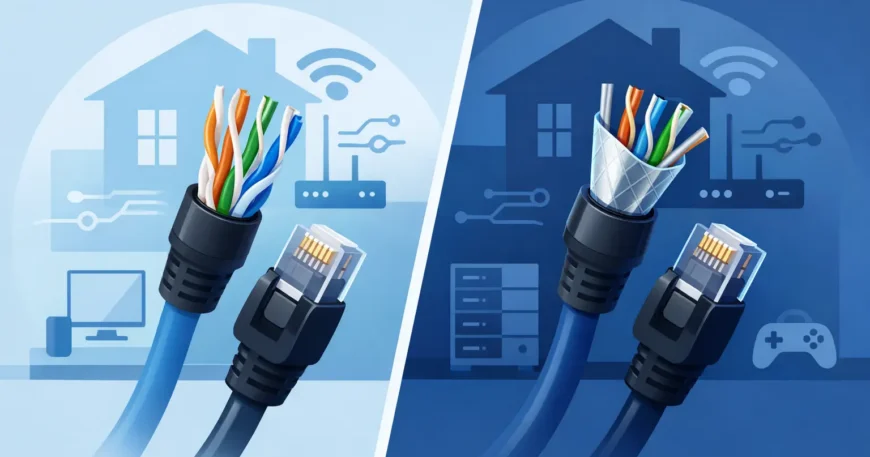
Cat6a is designed to support 10 Gigabit Ethernet over the full 100-metre channel length. It has better protection against interference than Cat6, making it useful for larger homes, high-end media systems, multi-level properties and installations with long cable runs.
The trade-off is that Cat6a cable is thicker, less flexible and more difficult to route through tight cavities and conduits. It also requires compatible components and careful termination. A poor Cat6a installation does not deliver the benefit you are paying for.
Choose Cat6a when you expect long runs, want 10Gb capability across the property, or are building a home with substantial networked storage, editing workstations, security infrastructure or a dedicated rack. For a standard family home with shorter runs, professionally installed Cat6 is generally the more affordable and sensible option.
Use solid copper cable, not CCA
Cable labelling can be confusing, especially when lower-priced products look similar on paper. For permanent in-wall wiring, use solid bare copper cable rated for structured cabling. Avoid copper-clad aluminium, often called CCA.
CCA cable is cheaper, but it is not equivalent to copper. It is more prone to breakage, can perform poorly with PoE devices and may not meet the requirements expected for a dependable fixed installation. This is particularly relevant for IP cameras, wireless access points and door intercoms, where stable power delivery is just as important as data speed.
A quality home network also uses matching components: suitable keystone jacks, patch panels, wall plates and patch leads. Mixing bargain components into an otherwise good installation creates an avoidable fault point.
Plan a central communications location
Ethernet cabling should run back to one central point in a star configuration. This may be a communications cabinet, a utility cupboard, a dedicated equipment rack or another dry, accessible location. It should have power, ventilation and enough room for the internet service equipment, switch, patch panel and future additions.
Avoid placing this equipment in a cramped cupboard with no airflow or behind fixed cabinetry. Network gear creates heat, needs occasional servicing and is likely to grow over time. A tidy central location makes fault finding, upgrades and changes much easier.
Each cable should be clearly labelled at both ends and terminated neatly at a patch panel or structured wiring enclosure. This allows individual outlets to be connected, moved or tested without disturbing the fixed cabling. It is the difference between a network that can be maintained properly and a bundle of unidentified cables that becomes a problem later.
Put outlets where devices actually live
One data point in each bedroom is a starting point, not always the finished plan. Think through the rooms and equipment that need a stable connection. A study may need two or more outlets for a desktop computer, docking station, printer or phone. A television wall may need connections for the TV, streaming box, gaming console and AV receiver.
Ceiling locations for wireless access points are also worth planning. A hardwired access point gives much better whole-home coverage than relying on one router at the edge of the house. It also keeps Wi-Fi capacity available for mobiles, tablets and smart home devices rather than wasting it on equipment that can be wired.
Consider Ethernet at camera positions, door stations, alarm panels, garages, outdoor entertaining areas and any future home office space. Running cable while framing is exposed is far more affordable than opening finished walls later. Spare conduits are valuable too, especially between the communications cabinet, roof space and key living areas.
Keep data cabling separate from electrical wiring
Low-voltage data cable should be installed with separation from mains electrical cabling to reduce interference and meet applicable installation requirements. It should not be tightly bundled with power cables or run through the same pathways unless an approved separation method is used.
Good installation practice also protects cable performance. Cables should not be crushed, sharply bent, stretched or stapled carelessly. The installer needs to maintain the bend radius, avoid excessive tension and use suitable pathways through walls, ceilings and under floors.
These details are easy to overlook because the cable disappears behind plasterboard. They are also why a professional installation is worthwhile. A cable can look neat at the wall plate yet have hidden damage that causes intermittent dropouts months later.
Do you need fibre inside the home?
Fibre is excellent for backbone connections between buildings, detached studios, large homes or locations exposed to electrical interference. It is also useful where very high capacity is required across long distances. Unlike copper, fibre does not carry electrical current, which can be an advantage when connecting separate structures.
For normal room-to-room residential runs, fibre is often unnecessary. It requires different equipment, specialised termination and a more considered design. A common approach is to use Cat6 or Cat6a to rooms and reserve fibre for a backbone between a main house, granny flat, shed, garage or separate network cabinet.
The best choice depends on distance, building layout, available conduit and the equipment you intend to use. Installing a conduit for future fibre can be a smart compromise where there is no immediate need for it.
Test every run before the walls are closed
Every permanent cable should be tested after termination. At a minimum, this confirms continuity, correct pinout and that the cable is connected to the intended outlet. For higher-specification work, certification testing verifies whether the completed channel performs to the required cabling standard.
Testing catches crossed pairs, poor terminations, damaged cable and labelling errors before they become disruptive faults. Ask for clear labelling and test results as part of the handover, particularly when multiple outlets, cameras, access points or PoE devices are involved.
A professional installer can also size the network switch, configure the wireless access points and ensure the cabling supports your wider system. Georgia Technical Services approaches home cabling as a complete low-voltage installation, so the network, Wi-Fi, surveillance and connected devices work together rather than being added as separate jobs.
The right wiring is the wiring you will not have to think about once the home is finished. Plan for the devices you use, leave capacity for the ones you have not bought yet, and install quality copper cabling carefully enough that it is still doing its job years from now.

