

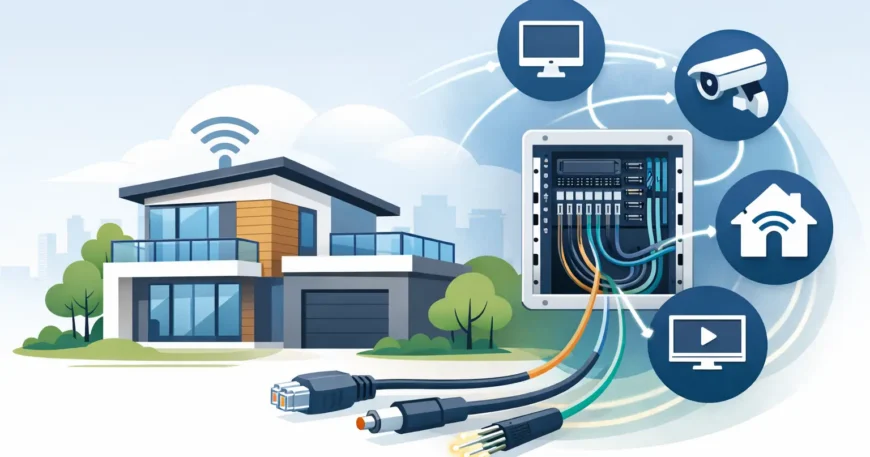
A dropped video call in the study, weak Wi-Fi at the far end of the house and security cameras that rely on unreliable wireless links are usually not internet-provider problems. They are planning problems. This residential structured wiring guide explains how to install the physical network foundation that gives a modern home dependable connectivity, better security coverage and room to expand without opening walls later.
Structured wiring is the organised cabling system behind your home network and low-voltage services. Rather than running separate, improvised cables whenever a new device is added, every cable returns to a central location. From there, equipment can be labelled, tested, serviced and upgraded properly.
Residential structured wiring guide: plan before walls close
The best time to install structured cabling is during a new build or major renovation, when wall cavities and ceiling spaces are accessible. Retrofitting is still possible, but it can require more labour, careful pathway selection and, in some cases, minor patching and painting.
Start by deciding how each room will actually be used over the next five to 10 years. A bedroom may become a home office. A spare room might later need a gaming console, smart TV or access point. Outdoor areas may need a camera, intercom or Wi-Fi coverage. Planning for likely changes is usually cheaper than returning to add one cable at a time.
A practical design begins with a room-by-room layout. Mark the television position, desk locations, ceiling access points, security camera positions, intercom station, network printer and any smart-home equipment. This gives the installer a clear picture of cable routes and outlet locations before installation begins.
For most homes, allow at least two data outlets at each television location and at each fixed desk. One outlet may be enough today, but a second provides useful flexibility for a streaming device, gaming console, wired access point or future equipment. Where a room has multiple likely furniture layouts, consider data outlets on more than one wall.
Choose a central wiring location that can be serviced
Every structured system needs a central distribution point, often called a communications cabinet, network cupboard or home distribution panel. This is where internet service equipment, patch panels, network switches, security recorder and other low-voltage equipment can be housed.
The location matters. A small, sealed cupboard with no power, no ventilation and no working space becomes difficult to maintain quickly. Choose an accessible internal area with a dedicated power outlet, sensible ventilation and enough room for future equipment. Under-stair cupboards, utility rooms and purpose-built communications spaces often work well.
Avoid locating the cabinet in a damp area, an excessively hot roof space or behind fixed furniture. It should also be positioned with realistic cable routes in mind. A neat central point reduces cable length, keeps the installation organised and makes fault finding far simpler.
Ask for every cable to be terminated, labelled at both ends and tested. Labels should identify the room and outlet, not simply a number that only makes sense to the original installer. A labelled patch panel and a basic cable schedule make future upgrades much less complicated.
Cat6 is usually the sensible baseline
For new residential data cabling, Cat6 is a strong general-purpose choice. It supports gigabit Ethernet comfortably and can support higher speeds over suitable distances and equipment. It is appropriate for computers, smart TVs, wireless access points, IP cameras, network storage, VOIP phones and many smart-home devices.
Cat5e can still support gigabit connections and may suit limited budgets or simple upgrades, but the labour involved in running cable through a home is similar regardless of cable category. For a new installation, selecting Cat6 often makes better long-term sense.
Cat6A can be worth considering in homes with high-performance network requirements, longer cable runs or a clear plan for 10-gigabit connectivity. It is thicker, less flexible and normally more expensive to install, so it is not automatically the right answer for every house. The right choice depends on budget, pathway space, network goals and the equipment you expect to use.
Do not confuse cable category with internet speed. Your connection to the internet may be much slower than the capacity of your internal wiring. Even so, quality internal cabling is valuable because it handles local traffic between devices, supports reliable Wi-Fi access points and avoids replacing cable when faster services become available.
Wire fixed devices and use Wi-Fi where it makes sense
Wi-Fi is essential, but it should not be asked to carry every fixed device in the home. A wired connection is generally more stable for devices that stay in one place and use significant bandwidth. That includes smart TVs, desktop computers, gaming consoles, network video recorders and home-office docks.
Ethernet also improves the performance of your wireless network. Ceiling-mounted or wall-mounted Wi-Fi access points work best when they have a wired data connection back to the network cabinet. This avoids relying on wireless repeaters, which can reduce throughput and struggle through brick, concrete, metal framing or dense insulation.
Plan data points for access points on each level of a larger home, and consider outdoor coverage where entertaining areas, pools or detached buildings need a reliable signal. The number and location of access points should follow the building layout, construction materials and expected use, not a one-size-fits-all rule.
Power over Ethernet, commonly called PoE, is especially useful here. A single Cat6 cable can carry both data and low-voltage power to compatible access points, cameras, intercoms and some control devices. That reduces the need for a separate power outlet at each device location and keeps the installation cleaner.
Include security, intercom and entertainment from the start
Structured wiring is not only about internet outlets. It is the foundation for a practical whole-home low-voltage system.
Wired IP cameras are a reliable option for entrances, driveways, side access, garages and rear yards. With PoE, each camera can receive power and network connectivity through one cable. The cable route should be planned early, particularly for eaves, exterior walls and areas where access becomes difficult after construction.
Video intercoms, gate stations and door access systems should also be considered during the planning stage. A conduit or spare cable to the front gate can save substantial disruption later. If the property has a detached garage, workshop, granny flat or pool house, allow for a proper data pathway between buildings. Depending on distance and electrical conditions, fibre may be a better choice than copper for these links.
For entertainment areas, run data cabling behind wall-mounted televisions and provide conduit where practical. Conduit gives you a pathway for replacing or adding HDMI, speaker, control or future cables without cutting into finished walls. It is a small inclusion during construction that can prevent a messy retrofit.
Leave capacity for the next upgrade
A good installation includes spare capacity. This may mean extra ports on the patch panel, spare conduits to key areas, room in the cabinet for a larger switch and a few unused cable runs to likely expansion points. The aim is not to cable every possible location unnecessarily. It is to make sensible allowances where future work would otherwise be expensive.
Do not overlook power at the communications cabinet. Network switches, routers, fibre termination equipment, security recorders and PoE equipment all need reliable power. A suitable surge-protected power arrangement and, where required, battery backup can keep critical network and security equipment running through short outages.
Keep low-voltage cabling separated from mains electrical wiring in accordance with applicable requirements. Fixed communications cabling should be installed and terminated by appropriately registered cablers, with correct testing and documentation. A tidy cable run is not merely cosmetic – poor separation, bad terminations and untested outlets can create faults that are difficult to diagnose after the walls are finished.
What professional installation should include
A professional structured wiring job is more than pulling cable from one point to another. It should include a discussion of your requirements, a clear scope, suitable cable pathways, proper termination, labelling and verification testing. You should know where the central cabinet is, what each outlet serves and how to connect equipment as your needs change.
For renovations, an experienced installer will also explain the trade-offs before work starts. Concealed cabling may be possible in some areas but not others. Surface-mounted pathway can be a cleaner and more affordable option than extensive wall repairs. The right approach is the one that delivers reliable results without unnecessary disruption or cost.
Build the cabling system around how the home will be used, then give it enough capacity to change with you. A well-planned network cupboard, properly tested Cat6 runs and sensible provision for Wi-Fi, security and future pathways will keep the technology side of the home simple long after the build is finished.


1 Comment
q5bet
I have to say, q5bet is pretty solid. I like the user interface, and the overall experience is pretty smooth. Not too much clutter or fancy stuff, just straightforward gaming, give it a try at q5bet