

When staff start complaining about dropped calls, slow file transfers, or patchy meeting room connections, the ethernet vs wifi for offices question stops being theoretical. It becomes an operations issue. The right answer affects productivity, security, fitout costs, and how well your office handles growth over the next few years.
For most businesses, this is not a simple case of old technology versus new technology. Wired and wireless networks each solve different problems. The better choice depends on your floorplan, your internet usage, the number of users, and whether you need dependable performance all day or flexible access across changing workspaces.
Ethernet vs WiFi for offices: the real difference
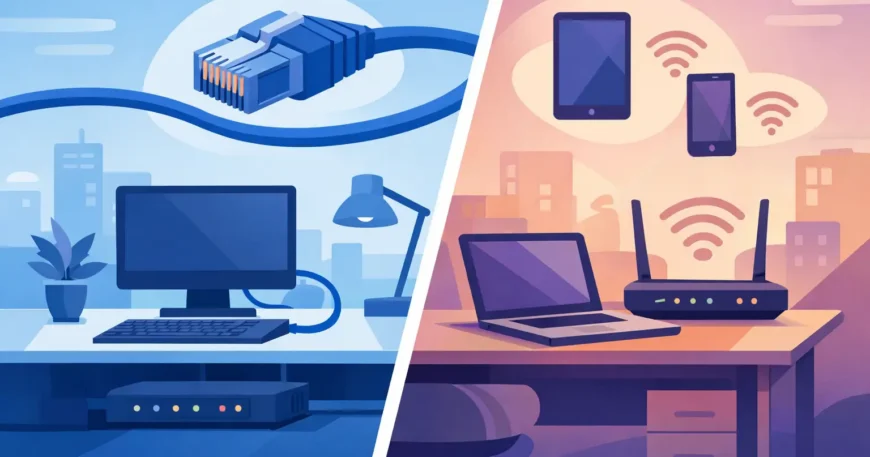
Ethernet uses physical cabling to connect devices directly to your network. In an office, that usually means structured data cabling running from desks, printers, phones, access points, cameras, and conference rooms back to a switch, comms cabinet, or server room. WiFi connects devices wirelessly through access points placed around the office.
The biggest difference is consistency. Ethernet gives you a fixed, stable path between the device and the network. WiFi relies on shared airspace. That means signal strength, interference, wall materials, user density, and device quality all affect performance.
If your business depends on predictable network speed, ethernet usually comes out in front. If your team moves around constantly with laptops, tablets, and mobiles, WiFi is essential. Most offices need both, but not in equal measure.
Where ethernet makes more sense
Wired connections are still the best fit for equipment that cannot afford network interruptions. Desktop computers handling large files, IP phones, printers, point-of-sale systems, CCTV recorders, servers, and conference room systems all benefit from ethernet. If a device stays in one place and needs reliable bandwidth, cabling is usually the smarter choice.
Ethernet also performs better in busy workplaces. In a small office with ten users, good WiFi may feel fine. In a larger office with forty staff, multiple video meetings, cloud backups, surveillance traffic, and shared applications running all day, wireless congestion becomes much more noticeable. A properly designed wired network reduces that pressure.
Security is another reason businesses still prefer cable for critical systems. Wired connections are inherently harder to intercept than wireless traffic. Good WiFi can absolutely be secured, but a cabled network gives tighter control over what is plugged in, where traffic goes, and how devices are segmented.
There is also the power question. With Power over Ethernet, one cable can deliver both data and power to devices such as wireless access points, IP cameras, intercoms, and some phones. That simplifies installation and keeps infrastructure cleaner.
Where WiFi is the better option
WiFi is the practical choice where mobility matters. Staff using laptops in hot desks, clients in waiting areas, tablets on the warehouse floor, and visitors in meeting rooms all need wireless access. Running a cable to every possible position is not always realistic, especially in leased spaces or fast-changing office layouts.
Wireless also helps businesses avoid clutter. A modern office fitout often aims for cleaner workstations and fewer visible cables. For front-of-house areas, breakout zones, and shared workspaces, WiFi supports that setup well.
Cost can favour WiFi in some situations, but only at first glance. If you are fitting out a small office with light network usage, wireless may reduce initial cabling work. But if the wireless design is poor, you often end up paying later through dead spots, added access points, productivity issues, and troubleshooting.
That is why WiFi should still be designed properly. Access point placement, wall construction, ceiling height, interference sources, and user density all matter. One router in the corner is not a business-grade wireless plan.
Speed is not the whole story
People often compare ethernet and WiFi based on advertised speed. That is understandable, but it misses the main issue. In offices, consistency matters more than peak performance.
A strong ethernet link is usually faster in real-world conditions, particularly for large uploads, shared drives, backup traffic, and low-latency tasks such as voice and video. WiFi speeds can look impressive on paper, but actual performance changes as more users connect or move around the site.
Latency matters as much as throughput. Video calls, cloud phone systems, remote desktops, and shared business platforms all perform better when delay and jitter stay low. Ethernet generally handles this more reliably. WiFi can work very well, but it is more sensitive to congestion and interference.
Ethernet vs WiFi for offices with hybrid teams
Hybrid work has changed office networking, but not in the way many businesses expected. Fewer full-time desks do not automatically mean less need for cabling. In fact, hybrid offices often need stronger infrastructure because staff rely more heavily on video conferencing, booking systems, shared wireless access, and flexible meeting spaces.
A smart setup is often to cable the fixed infrastructure and support user mobility with well-placed WiFi. That means wired links for access points, VoIP handsets, conference room kits, printers, security systems, and any desk that regularly handles high traffic. Wireless then supports laptops, mobiles, guest access, and shared zones.
This approach keeps the network stable without forcing every user into a fixed desk arrangement. It also makes future changes easier. If the office layout shifts, the backbone is already in place.
What office managers and owners should consider
The right decision usually comes down to five practical questions. How many users are on site at peak times? What kinds of applications are they using? Which devices stay fixed in place? How critical is uptime? And is the office likely to expand, reconfigure, or add more connected systems soon?
If your office relies heavily on cloud software, video calls, security cameras, and shared network devices, a cable-first approach usually delivers better long-term value. If your team mainly uses laptops for light work and moves between rooms all day, strong WiFi may carry more of the load.
Building type matters as well. Older buildings, concrete walls, glass partitions, metal framing, and multi-tenancy environments can all weaken wireless performance. In those settings, structured cabling often solves problems that repeated wireless tweaks do not fix.
Budget matters, but it should be weighed against disruption and support costs. Installing data cabling during a fitout, renovation, or office move is usually far more cost-effective than retrofitting after complaints begin.
The best answer for most businesses
For most modern businesses, the best answer is not ethernet or WiFi. It is ethernet and WiFi, each used where they make sense.
A dependable office network usually starts with a solid wired backbone. That includes quality Cat6 or better cabling, properly terminated outlets, switch infrastructure, patch panels, and organised comms spaces. Wireless access points are then connected back to that backbone, giving your office reliable coverage without making WiFi carry more than it should.
This is the difference between a network that simply works and one that constantly needs attention. Businesses often blame their internet service when the real problem is weak internal infrastructure.
If you are planning a new office, upgrading an existing space, or dealing with recurring connectivity issues, it is worth assessing the physical network before adding more wireless gear. A practical design can improve speed, call quality, security, and day-to-day reliability without overcomplicating the setup.
For offices that need dependable connectivity, clean installation, and room to grow, a professionally planned mix of wired and wireless infrastructure is usually the most cost-effective path. Georgia Technical Services works with businesses that need that done properly the first time.
The simplest way to think about it is this: use ethernet for anything your business cannot afford to have fail, and use WiFi where flexibility genuinely adds value.
