

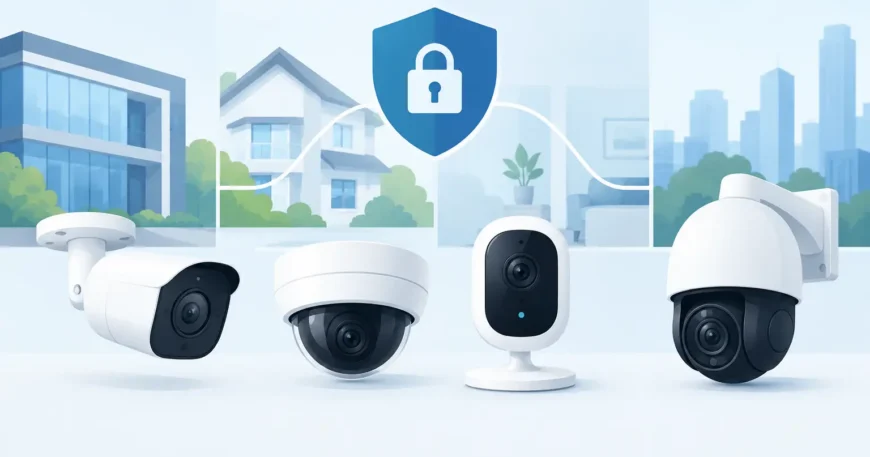
A camera that delivers a sharp image at the front door but misses faces at the loading bay is not the right camera for the job. A useful IP camera comparison starts with the area you need to protect, the detail you need to capture and the network infrastructure behind the system. Price matters, but a low-cost camera can become an expensive choice if its view, storage or cabling does not suit the property.
For homeowners, business operators and property managers, the goal is straightforward: clear footage when something happens, reliable recording, and a system that can grow without requiring a complete rework. The best choice is rarely the camera with the longest specification sheet. It is the one matched properly to its location and supported by professional network cabling and installation.
Start an IP camera comparison with the site
Before comparing brands or prices, walk the site. Identify entry points, car parks, hallways, reception areas, cash handling locations, lifts, loading docks and any blind spots around the building. Consider where people approach from, where vehicles stop, and whether the camera will face bright sunlight, low light or mixed lighting.
A small office may need only a few carefully positioned cameras at entrances, shared areas and external doors. A warehouse often needs wider coverage, stronger low-light performance and cameras positioned high enough to avoid damage. Apartment properties may need cameras at the front entrance, mail area, corridors, car park and shared amenities, with privacy considered at every point.
Camera selection should follow the coverage plan, not replace it. One wide-angle camera may show general activity across a large room, but it may not provide enough detail to identify a person on the far side. In many cases, two correctly placed cameras provide better evidence than one camera with an impressive resolution rating.
Resolution: more pixels are not always more useful
Resolution affects the amount of image detail a camera can capture. Common options include 2MP or 1080p, 4MP, 5MP, 8MP or 4K, and higher. More pixels can help when you need to review a wider scene, zoom into recorded footage or identify faces and vehicle details at a distance.
However, higher resolution also creates larger video files. That places greater demand on network bandwidth, Power over Ethernet switching capacity and recording storage. If a 4K camera is installed on an ageing network with insufficient cabling or poorly planned storage, it may not deliver the result the owner expects.
For a narrow entrance or a small indoor room, a quality 4MP camera may be more than adequate. For a large car park, warehouse aisle or long driveway, 8MP can be worthwhile if the camera has the right lens and placement. Resolution should be assessed alongside field of view, lighting and the distance from camera to subject.
Lens and field of view matter just as much
A fixed-lens camera has a set viewing angle. It is usually an affordable, dependable option for doors, corridors and defined areas. A wider lens covers more space but makes subjects appear smaller. A narrower lens reaches further but covers less of the scene.
Varifocal cameras allow the installer to adjust the lens angle during setup. They are useful where a camera needs to focus on a gate, a vehicle entrance or a specific section of a car park. Motorised varifocal models allow adjustments remotely, which can reduce disruption if the scene changes later.
Pan-tilt-zoom cameras can follow activity and inspect a wide area, but they should not be treated as a substitute for fixed coverage. While a PTZ camera is looking one way, it is not recording detail in another direction. Fixed cameras establish consistent evidence; PTZ cameras can add flexible oversight where active monitoring is available.
Night vision and lighting can decide the result
Most incidents around commercial properties and homes happen outside standard business hours. A camera that performs well in daylight but produces washed-out or grainy footage at night leaves a major gap in the security plan.
Infrared cameras use built-in IR illumination to record in low light. They are practical for many external areas, but performance depends on range, camera placement and reflective surfaces. A camera mounted close to a pale wall, metal gate or soffit can suffer from IR glare. Positioning needs to be checked after dark, not only during installation.
Colour night vision cameras use larger sensors, sensitive lenses or built-in white light to retain colour in low-light scenes. They can help identify vehicle colour or clothing, but the white light may not suit every residential or shared-property setting. In some locations, a well-placed external light and a quality IR camera provide the more discreet option.
Look for wide dynamic range where cameras face bright windows, roller doors or sunlit entrances. This feature helps balance bright and dark parts of the image, making faces more visible rather than leaving them in shadow.
Wired versus wireless IP cameras
Wireless cameras can be useful where running cable is genuinely difficult or where a temporary installation is needed. They are quick to deploy in some homes and small sites, but Wi-Fi signal strength, interference, wall construction and ongoing maintenance must be considered. A wireless camera still needs power unless it is battery-operated, and battery models need regular charging or battery replacement.
For permanent security systems, wired IP cameras are generally the more dependable choice. Power over Ethernet, commonly called PoE, carries both data and power through a single network cable. This reduces the need for separate power outlets at each camera and provides a stable connection to the recorder or network switch.
Cat6 cabling is a practical choice for new camera installations because it supports current network needs and leaves room for future upgrades. In warehouses, apartment buildings and larger commercial properties, structured cabling also makes maintenance easier. Each camera can be labelled, tested and traced back to a central location instead of relying on scattered power adaptors and unpredictable wireless coverage.
Storage: local, cloud or network video recorder
A camera system is only as useful as its ability to retain and retrieve footage. There are three common storage approaches: local memory cards, cloud recording and network video recorders, often called NVRs.
Memory cards can suit a single camera or a modest residential setup, but they have limitations. Storage capacity is limited, cards can fail, and footage may be lost if the camera is damaged or stolen. Cloud storage adds off-site protection and convenient remote access, but it usually carries an ongoing subscription cost and depends on reliable internet upload speeds.
An NVR stores footage on hard drives at the property and is often the strongest option for multi-camera systems. It can support longer retention periods, central management and higher recording quality without placing constant pressure on the internet connection. For a business, warehouse or multi-dwelling property, an NVR should be sized around the number of cameras, their resolution, recording schedule and required retention time.
Continuous recording provides a complete timeline but requires more storage. Motion-based recording saves space, although poor settings can miss activity or create excessive alerts from shadows, rain, trees or passing traffic. Many properties use a combination, such as continuous recording at entrances and motion recording in lower-risk areas.
Remote viewing and cybersecurity
Remote viewing from a mobile, tablet or computer is now expected, but convenience must not create a network weakness. Cameras, NVRs and network switches should be installed with secure passwords, current firmware and appropriate user access. Default logins should never remain in place.
Business and multi-property installations benefit from separating surveillance equipment from the main office network where practical. This helps manage traffic and limits exposure if a device is compromised. Internet capacity should also be checked before relying on remote live viewing from multiple high-resolution cameras.
A properly configured system gives authorised users practical access without giving every staff member or tenant control over recordings. Property managers may need viewing access to common areas, while owners or security personnel may need broader permissions. Clear user roles protect privacy and reduce accidental changes to the system.
Compare the complete installation, not just camera pricing
A meaningful IP camera comparison includes the full system cost: cameras, PoE switch, NVR, storage drives, cabling, mounting hardware, labour, configuration and ongoing support. It should also include the practical work of routing cable neatly, weatherproofing external connections, protecting cable runs and testing every view during day and night conditions.
For retrofit properties, cable pathways can be the deciding factor. Existing conduits, ceiling spaces, risers and communication rooms may allow a clean installation, while other sites need a staged approach. Planning this early avoids exposed cables, poorly placed cameras and last-minute compromises.
Georgia Technical Services approaches CCTV as part of the wider low-voltage and network infrastructure, not as a stand-alone box of cameras. That matters when a site needs cameras today and additional access control, intercom, Wi-Fi or data cabling later.
The right security system should make an incident easier to understand, not create more work after it happens. Choose cameras for the scene, install them on dependable cabling, allow enough storage for the footage you may need, and test the system in the conditions it will actually face.
