

A slow connection in the bedroom, patchy Wi-Fi near the garage and security cameras that drop offline are rarely solved by buying another router. The real issue is often that the home has no organised point where internet service, Ethernet cabling, network equipment and low-voltage systems can be managed together. A professional home network panel installation creates that point of control.
For a new build, major renovation or a home that has outgrown its original wiring, the panel is where good connectivity starts. It gives every data cable a labelled destination, protects equipment from being scattered through cupboards, and makes future changes far less disruptive. The goal is not to fill a wall with expensive gear. It is to build a clean, serviceable network that suits how the household actually uses the home.
What a home network panel actually does
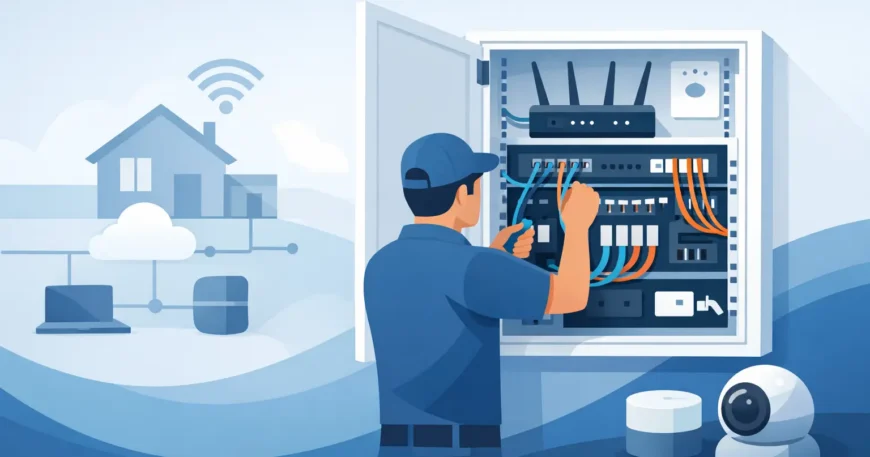
A home network panel is usually a recessed or surface-mounted enclosure placed in a utility area, laundry, garage, study cupboard or dedicated communications space. It brings together the incoming internet service, network switch, patch panel, router or firewall, and sometimes equipment for CCTV, intercoms, telephone or home audio.
Each room with an Ethernet outlet has a cable run back to the panel. Rather than chasing faults behind walls or relying on Wi-Fi extenders, a technician can identify the run, test it and connect it to the appropriate network equipment. That structure matters when a home has multiple access points, smart televisions, workstations, gaming equipment, cameras and smart-home devices operating at once.
The panel also separates permanent cabling from equipment that may change. The in-wall cable terminates at a patch panel. Short patch leads then connect chosen outlets to the network switch. If a room changes from a home office to a guest room, the network can be reconfigured at the panel without rewiring the property.
Start with how the home will be used
The best panel size and layout depend on the property, not a generic package. A small unit with a single internet connection, several wired rooms and one wireless access point has very different needs from a large home with detached buildings, cameras, multiple televisions and a dedicated office.
Before installation, map the places where a dependable wired connection will make a real difference. Home offices, TV locations, ceiling access-point positions, security camera points, gaming areas, media rooms, intercoms and external entertainment areas are common priorities. It is also worth considering future use. A spare cable to a study, garage, roof space or outdoor area costs far less during cabling work than it does after plasterboard and finishes are complete.
A practical planning discussion should cover:
- the location of the internet hand-off from the provider
- the number of current and planned Ethernet outlets
- Wi-Fi coverage across internal and outdoor areas
- CCTV, access control, intercom or alarm integration
- power, ventilation and access around the panel
- whether fibre or a network link is needed to another building
Not every device needs Ethernet. Phones, tablets and many smart appliances work well over Wi-Fi. Wired cabling is most valuable for fixed, data-hungry or security-critical equipment where speed and consistency matter. That includes desktop computers, access points, cameras, smart TVs, streaming hardware and network storage.
Choosing the right panel location
A panel should be accessible without becoming an eyesore or a source of heat and noise in a living area. A garage or utility cupboard can work well, provided the location remains dry, reasonably clean and within reach of the incoming service. For larger properties, a dedicated communications cupboard may be the better choice.
Avoid placing the panel where temperatures become extreme, where water leaks are possible or where access will be blocked by shelving and stored items. Network switches, routers and power supplies generate heat. A tightly packed enclosure without ventilation can shorten equipment life and cause intermittent faults that are difficult to diagnose.
Power is another common oversight. Low-voltage cabling and mains power are different trades and must be planned appropriately. The panel needs safe, suitable power for active equipment, while data cables need correct separation from electrical wiring to reduce interference and meet applicable requirements. Where an electrician is needed for power provision, coordinate that work before the network equipment is installed.
Cabling choices that support future upgrades
For most modern homes, Cat6 cabling is a sensible baseline for Ethernet runs. It supports high-speed networking over typical residential distances and gives room for future equipment upgrades. Cat5e may still support many everyday applications, but installing it in a new build or major renovation can be a false economy when the walls are already open.
Cable quality alone is not enough. Performance depends on correct routing, bend radius, termination and testing. Running cable too close to electrical lines, pulling it too tightly, using poor-quality connectors or leaving it unlabelled can undermine an otherwise good installation.
Some homes also benefit from fibre. A fibre backbone can be useful between a main residence and a detached office, pool house, workshop or secondary dwelling, particularly where distance, electrical isolation or higher capacity is a concern. Fibre is not necessary for every property, but it is worth assessing where copper cabling reaches its practical limits.
Why patch panels and labelling matter
A patch panel may look like a minor detail, but it is the difference between orderly infrastructure and a cupboard full of mystery leads. Every cable should be terminated consistently, labelled at both ends and tested. The panel should use a clear naming system that makes sense to the homeowner or property manager, such as “Study Desk”, “Living TV”, “Hall AP” or “Front Camera”.
This saves time when troubleshooting and makes upgrades straightforward. If the wireless access point needs replacing, or a camera connection has a fault, there is no guesswork about which cable serves that location. Clear labelling is particularly valuable when the property changes hands or when a new technician is called in years later.
A professionally finished panel should also allow sensible cable management. Patch leads should be the correct length where possible, equipment should not be forced against cables, and service access should remain practical. Neat work is not just cosmetic. It reduces accidental disconnections and makes faults easier to isolate.
Designing Wi-Fi around the wired network
A strong home network panel installation is often the foundation for better Wi-Fi, but the panel itself should not be expected to provide wireless coverage. A router hidden in a metal enclosure, garage cupboard or corner of the house is unlikely to serve the entire property well.
Instead, use wired access points placed where people use devices. Ceiling-mounted access points in central areas often provide better coverage than a single router near the internet entry point. Larger homes may need two or more access points, each connected back to the panel by Ethernet. This approach is generally more reliable than relying on wireless repeaters, although the right design depends on the building layout, wall materials and outdoor coverage requirements.
Power over Ethernet can simplify these installations by carrying data and low-voltage power to compatible access points and cameras through one cable. The network switch must support the required power level, and the total load needs to be calculated when several devices are connected.
Do not overlook security and backup power
The panel is often the natural place to support IP cameras, video doorbells, intercoms and monitored security equipment. Keeping these services on structured cabling improves reliability and allows equipment to be centrally managed. However, camera placement, recording storage and internet access should be planned as a complete system rather than added one device at a time.
A small uninterruptible power supply can also be worthwhile for selected equipment. During a short power interruption, it may keep the router, switch and security recorder operating long enough to maintain connectivity or preserve recordings. It will not replace a whole-home backup power system, and runtime depends on the load, but it can prevent unnecessary outages.
Installation mistakes that cost more later
The cheapest installation is not always the most affordable one over the life of the home. Common shortcuts include installing a panel that is too small, running no spare cables, terminating cables directly onto equipment, failing to test each run and placing network hardware in a hot, inaccessible cupboard.
Another mistake is treating Wi-Fi as a substitute for infrastructure. Wireless technology is convenient, but it performs best when access points have a reliable wired backhaul. Homes with heavy streaming, remote work, cameras and smart devices benefit from a proper cabling plan before equipment is selected.
For occupied homes, installation also requires care around existing finishes. A capable low-voltage team should assess available pathways, explain what can be concealed, identify where surface conduit may be required and provide realistic options before work begins. There is usually more than one way to achieve a result, and the right balance depends on budget, access and the finish expected.
A well-planned panel gives the home a dependable base for internet, entertainment, security and work without turning every upgrade into another cabling project. When the layout is assessed properly, cabling is tested and every connection is clearly labelled, the network becomes easier to use, easier to maintain and ready for what the household needs next.
