

A camera system only helps when the footage is available at the moment you need it. The NVR versus cloud video storage decision affects more than where recordings sit. It determines how well your site handles internet outages, how long footage can be retained, what you pay over time, and how quickly staff or property managers can find an incident.
For a small home, warehouse, office or multi-dwelling property, there is no single answer that suits every installation. The right setup depends on the number of cameras, the quality of the network, the risk profile of the site and who will manage the system after installation.
NVR versus cloud video storage: the practical difference
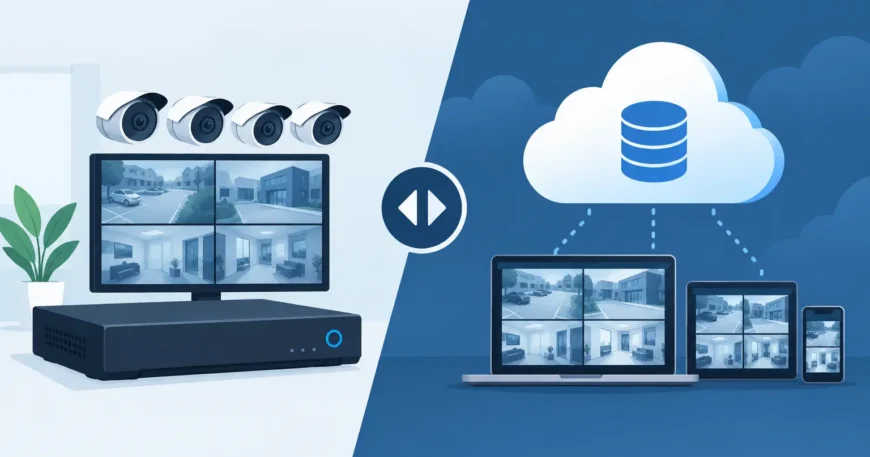
An NVR, or network video recorder, is a physical recorder installed on site. IP cameras send footage across the local network to hard drives inside the NVR. This is the traditional approach for professionally installed CCTV systems and remains a strong choice for sites that need continuous recording, multiple cameras or long retention periods.
Cloud video storage sends recordings over the internet to a provider’s remote platform. Depending on the camera and service, footage may be stored entirely in the cloud, triggered by motion or analytics events, or retained both locally and remotely. Users generally access video through a mobile app or web portal.
The main distinction is control. An NVR puts recording capacity at your premises and gives you direct control over the equipment, storage drives and network traffic. Cloud storage shifts much of that responsibility to the service provider, but makes reliable internet and an ongoing subscription central to the system.
When an NVR is the better fit
NVR systems are usually the practical choice for commercial premises, warehouses, larger homes, strata common areas and any location with more than a handful of cameras. Recording stays on the local network, so cameras can continue capturing footage even if the internet connection goes down. Remote viewing may be unavailable during the outage, but the footage is still being recorded.
This matters at sites where internet service is inconsistent or where a single outage cannot be allowed to create a gap in security coverage. It also matters for high-resolution cameras. A group of 4K cameras recording continuously can generate significant data. Keeping that traffic local avoids placing unnecessary pressure on the internet connection.
An NVR also makes long retention periods more affordable. Once the recorder and drives are installed, there is generally no per-camera monthly storage fee. Hard drive capacity can be selected around the number of cameras, recording quality and the number of days the business needs to retain footage. For a site that requires 30, 60 or 90 days of recordings, this can be far more cost-effective than paying cloud fees for every camera.
There are trade-offs. The NVR needs suitable space, power protection, ventilation and a secure location. A recorder left in an unlocked office or accessible storeroom can be stolen or damaged along with the cameras’ evidence. Drives also have a working life and should be checked as part of ongoing system maintenance. A properly designed installation addresses these issues by locating the recorder securely, using a UPS where appropriate and configuring alerts for camera or drive faults.
Where cloud video storage makes sense
Cloud storage works well when simplicity and off-site access are the priority. A homeowner with a few entry-point cameras may prefer to receive alerts on a mobile, check an event clip and avoid managing a recorder. Small offices with no dedicated communications cupboard can also benefit from an easy-to-manage system, provided their internet connection is reliable.
The off-site copy is a real advantage. If someone steals or destroys equipment at the property, footage already uploaded to the cloud may still be available. This can be valuable for remote sites, vacant properties and small businesses where there is nowhere practical to secure an NVR.
Cloud platforms can also reduce the effort required for software updates, user access and remote viewing. That does not mean they are maintenance-free. Cameras still need power, network coverage and correct placement. The system also depends on the provider’s service, account access and subscription being active.
The ongoing cost needs close attention. Many cloud plans charge by camera, by retention period or by features such as AI detection. A plan that feels affordable for two cameras can become costly when a property expands to 12, 24 or 60 cameras. Before choosing cloud-only recording, calculate the full recurring cost over several years rather than comparing only the initial purchase price.
Bandwidth can decide the outcome
Internet bandwidth is one of the most overlooked parts of cloud video storage. Upload speed, not just download speed, determines how effectively cameras can send footage off site. A connection that feels fast for email, browsing and video calls may struggle with several cameras uploading high-definition recordings around the clock.
Poor upload capacity can lead to reduced video quality, missed cloud uploads or a network that slows down when cameras are busy. Motion-based cloud recording reduces bandwidth compared with continuous recording, but it can also miss the lead-up to an event if detection settings are not carefully configured.
For a commercial site, assess the existing internet service, Wi-Fi coverage and structured cabling before selecting the storage model. Hardwired Cat6 connections and Power over Ethernet are generally more dependable for fixed security cameras than relying on Wi-Fi at the edge of its range. The recording method is only as reliable as the network supporting it.
Retention, privacy and access need clear rules
Storage length should be driven by operational need, not a default setting. A family home may only need a short period to review deliveries or access events. An apartment building may require longer retention for common-area incidents. Warehouses, offices and retail sites may need footage available long enough for an incident to be reported, investigated and actioned.
Privacy is equally important. Limit camera views to legitimate security areas, set appropriate user permissions and avoid giving every staff member unrestricted access to recorded video. Whether footage is stored on an NVR or in the cloud, strong passwords, multi-factor authentication where available and prompt removal of former users are basic safeguards.
For managed properties, decide who can view live cameras, export footage and change retention settings. Written access rules prevent confusion after an incident and reduce the risk of sensitive recordings being shared improperly.
A hybrid system often provides the strongest coverage
The choice does not always have to be NVR or cloud. Many professionally designed systems use local NVR recording as the primary record, with cloud access, event clips or off-site backup for selected cameras. This gives the site the resilience of local continuous recording while keeping important footage available if on-site equipment is damaged or stolen.
A hybrid approach is particularly useful for offices, warehouses and multi-dwelling properties. High-volume recordings can remain on the NVR, while entry doors, gates, loading areas or other priority cameras send event footage to the cloud. It is a practical way to control subscription costs without relying on a single point of failure.
Choosing the right storage model for your site
Start with the cameras, not the storage sales pitch. Count the cameras planned now and allow for future expansion. Identify whether continuous recording is required, how many days of footage must be retained and whether the site has dependable upload bandwidth. Then consider what happens during a power failure, internet outage, break-in or equipment theft.
An NVR is often the better long-term value where there are multiple cameras, continuous recording requirements or limited internet upload capacity. Cloud storage can be a sensible option for smaller systems that value remote access and off-site footage more than long, high-resolution retention. For many growing properties, a hybrid design delivers the most dependable balance.
The best security system is not the one with the longest feature list. It is the one with correctly positioned cameras, professional cabling, adequate storage and a recording plan that still works when conditions at the property are not ideal.
