

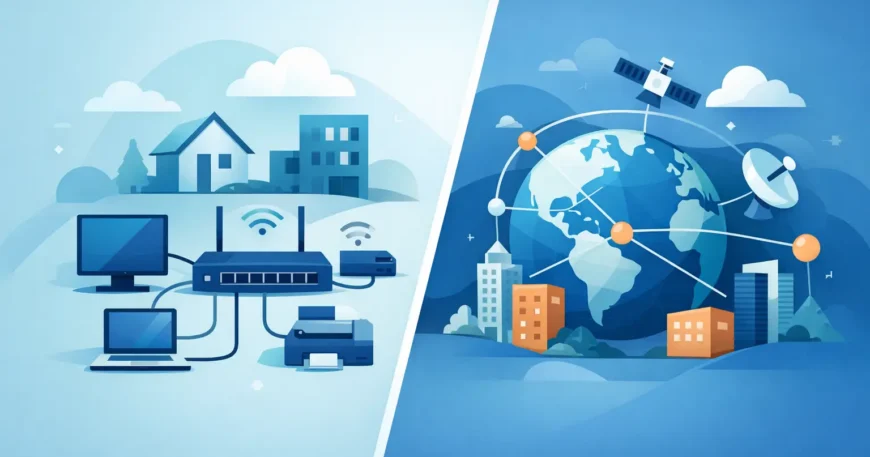
A slow cloud application, a dropped video call between sites, or unreliable Wi-Fi in a warehouse can all look like “an internet problem”. Often, the real issue is that the local network and the connection between locations were never planned as separate systems. Understanding LAN WAN network differences helps owners, managers and homeowners make better decisions about cabling, equipment, security and ongoing costs.
A LAN handles connectivity within a defined property or site. A WAN connects that LAN to other locations and external services. Both are necessary in many modern setups, but they solve different problems and require different design decisions.
LAN vs WAN network differences at a glance
A Local Area Network, or LAN, connects devices in a limited area. That could be a house, office floor, apartment building, retail shop, warehouse or school campus. Computers, printers, cameras, access points, phones, smart TVs and servers communicate over the LAN, usually through Ethernet cabling, switches and wireless access points.
A Wide Area Network, or WAN, links separate LANs across larger distances. It may connect a head office to a branch, link multiple buildings on a campus, provide a path to cloud services, or give users access to the public internet. The WAN connection is generally supplied through an internet service, fibre circuit, mobile service or private carrier network.
The simplest way to separate the two is this: your LAN is the network you operate inside the property; your WAN is the route that carries traffic beyond it.
Why the distinction matters before installation
It is easy to spend money on a faster internet plan and still have poor performance. If old cabling, poorly placed access points, overloaded switches or weak network design are limiting the LAN, more WAN bandwidth will not fix the underlying issue.
The reverse is also true. A well-cabled office with quality switches can still struggle when staff access cloud software, hold online meetings or transfer files to another site if the WAN connection is undersized or unreliable.
For property managers and developers, the distinction affects where responsibility sits. Structured cabling, communications racks, fibre backbones and in-building Wi-Fi are LAN infrastructure. The carrier connection entering the building is part of the WAN side. A dependable result depends on both being planned to work together.
LAN: the network inside your premises
LANs are normally designed for high speed, low delay and direct control. Because the equipment and cable runs are close together, the owner can decide how the network is laid out, where outlets are installed, how traffic is separated and what equipment is used.
In a typical commercial installation, Cat6 cabling runs from work areas, cameras and access points back to a central communications rack. Patch panels keep terminations organised, switches connect devices, and a router or firewall provides the hand-off to the WAN. In a larger warehouse or multi-level property, fibre may connect separate racks or buildings where copper cable distance limits would be exceeded.
A residential LAN follows the same principle on a smaller scale. Hardwired Ethernet points can support work-from-home equipment, streaming devices, gaming consoles, security cameras and wireless access points. Running the right cable while building or renovating is generally far more affordable than trying to add it once walls and ceilings are finished.
Speed and reliability on a LAN
A properly installed LAN can support gigabit speeds and, where needed, higher-capacity connections. Actual performance depends on cable category, cable length, termination quality, switch capability and device hardware. Cat5e may suit basic requirements, while Cat6 gives more headroom for current devices and future upgrades.
Wired connections remain the most consistent choice for fixed equipment. Wi-Fi is valuable for mobility, but walls, shelving, machinery, neighbouring networks and the number of connected devices can affect it. In a warehouse, for example, access point placement and cable pathways need as much attention as the wireless equipment itself.
LAN security and separation
A LAN is also where internal security is managed. Staff computers, payment systems, cameras, guest Wi-Fi, building controls and tenant services should not automatically share the same network segment. Separating traffic through VLANs and correctly configured equipment limits unnecessary access and makes faults easier to isolate.
This is particularly relevant in multi-dwelling properties. Tenants need reliable access without being able to see one another’s devices. Building systems and management equipment also need their own protected paths. The physical cabling and network design must support that separation from the outset.
WAN: the connection beyond the building
A WAN carries data between locations that are not connected by the same local cabling system. For many small businesses, the primary WAN is simply the internet connection supplied to the premises. The router or firewall receives that service and directs traffic between the LAN and the outside world.
Larger organisations may use several WAN services. A business with offices in different suburbs or states might connect each site through encrypted virtual private network tunnels, a managed SD-WAN service or a private fibre circuit. The right option depends on the number of sites, application needs, budget and required uptime.
Unlike a LAN, a WAN usually relies on infrastructure owned or operated by a carrier. That means speed, fault response, installation timing and service availability can be affected by the provider and the location. A remote site may have different options from a CBD office or a new apartment development.
WAN performance is more than download speed
Internet plans are often marketed around download speed, but WAN performance also depends on upload capacity, latency, packet loss and service stability. Video conferencing, cloud backups, IP phone systems and remote desktop applications can suffer when upload speed is limited or latency is inconsistent.
A site using cloud-based phone systems may need traffic prioritisation so calls remain clear while large backups or software updates are running. A business with CCTV cameras sending footage off-site needs to account for sustained upload demand. These are WAN design questions, even though the cameras themselves connect to the LAN.
Redundancy can also be worthwhile. A second internet service, mobile backup or failover configuration can keep essential services operating when the primary connection fails. It adds cost, so it is usually best reserved for sites where downtime has a clear operational or financial impact.
Key LAN WAN network differences for planning
The practical differences come down to scope, control, speed and cost. A LAN covers a defined site and is largely controlled by the property owner or occupier. A WAN spans broader distances and depends on carrier services or external infrastructure.
LAN traffic is generally faster and more predictable because it remains within the premises. WAN traffic travels through provider networks or the public internet, so it is more likely to experience delay and variation. This does not make a WAN unreliable by default, but it means critical applications need appropriate service selection, security and backup planning.
The cost model differs as well. LAN work is commonly an upfront investment in cable, containment, outlets, racks, switches and installation. The WAN generally includes ongoing monthly service charges, though dedicated circuits and managed services may also involve setup costs. A sensible budget considers both, rather than treating the internet bill as the whole network expense.
Choosing the right setup for your property
Start with how people and systems use the network. A small office with a handful of users may only need well-placed Ethernet outlets, business-grade Wi-Fi and a suitable internet service. A warehouse may require fibre between racks, coverage designed around racking and machinery, separate networks for scanners and cameras, and failover for operational systems.
For apartment buildings and high-rise retrofits, capacity and pathway planning are critical. Fibre may need to reach a central point and then extend to floors or individual units. Allowing for owner-supplied internet infrastructure can create a stronger long-term asset, but only if the cabling, access control and maintenance approach are professionally planned.
Do not overlook the communications room. Untidy patching, unlabelled cables and equipment without power protection turn simple faults into lengthy disruptions. Clean termination, labelling, testing and documentation make future changes faster and reduce avoidable service calls.
The best network is not necessarily the one with the biggest internet plan or the most expensive hardware. It is the one that matches the way your property operates, has cabling that can support future demand, and gives every critical device a dependable path to the services it needs.

