

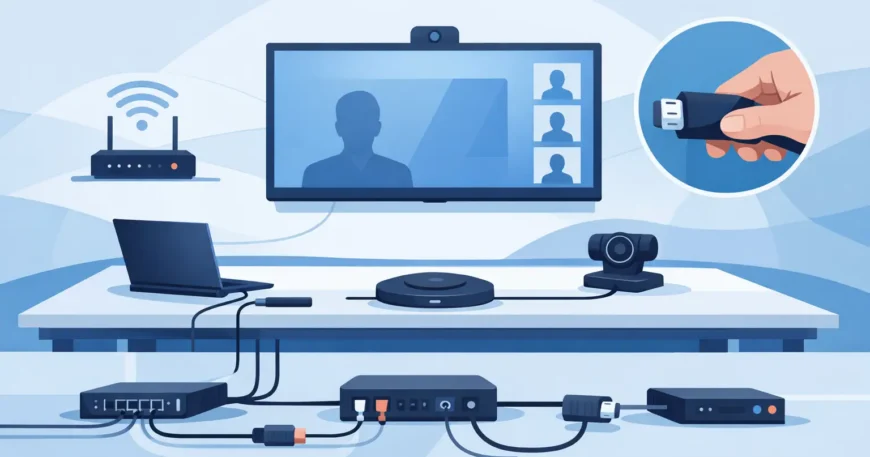
A boardroom only needs one failed meeting to show where the wiring was treated as an afterthought. The screen will not connect, the camera drops out, someone crawls under the table hunting for a loose lead, and ten minutes of wasted time turns into a room nobody trusts. A proper conference room cabling setup prevents that kind of friction by making power, data and AV connections work the way they should every time the room is used.
For office managers, business owners and property teams, the goal is not just to get a room online. It is to create a space that is clean, reliable and easy for staff, clients and visitors to use without calling IT for basic tasks. That starts with cabling design, not with whichever display or conference camera is chosen last.
What a conference room cabling setup needs to support
Most meeting spaces now do more than display a laptop on a screen. They handle video calls, wireless presentation, room scheduling panels, ceiling speakers, microphones, cameras and often VOIP integration. Some rooms also need hard-wired network points for table boxes, wall plates, smart displays and dedicated control systems.
That means the cabling has to support several jobs at once. Structured data cabling carries reliable network access. Low-voltage cabling may support control panels, room booking devices, CCTV at entry points or paging integration in larger facilities. AV pathways need enough capacity and the right termination points to avoid adaptors hanging out of walls or cables being run across the floor as a quick fix.
A good setup also accounts for how the room is actually used. A six-seat huddle room has different needs from a formal boardroom, training room or divisible meeting space. If your staff mostly join Teams or Zoom calls, camera placement and network stability matter more than a long list of display inputs. If outside presenters use the room often, table connectivity and simple user access become a priority.
Start with room use, not just cable runs
One of the biggest mistakes in conference room work is planning around the wall screen alone. The better approach is to map how people enter, sit, present and connect. That tells you where floor boxes, wall plates, data outlets and power points should go.
In practical terms, that means asking a few clear questions. Will users present from the table, from a lectern or wirelessly from anywhere in the room? Is the display mounted on one wall, or do you need dual displays? Will the camera sit above the screen, below it or at the far end of the room? Are ceiling microphones or speakers part of the fit-out? Does the room need its own dedicated network drop for conferencing hardware?
Once those answers are clear, the cabling plan becomes much easier to get right. The result is cleaner routing, fewer exposed leads and less reliance on temporary adaptors that tend to fail or disappear.
Conference room cabling setup for clean, reliable performance
A dependable conference room cabling setup usually combines structured cabling, power coordination and AV planning into one install. Treating each part separately can create problems later. You might end up with enough data points but no sensible place for users to plug in, or excellent display equipment held back by poor cable pathways.
Cat6 is a common fit for modern meeting spaces because it supports strong network performance and gives room for growth. In some larger offices, fibre backbone links between communications rooms and network cabinets are also worth considering, especially where bandwidth demand is rising across multiple rooms. The exact mix depends on the building, room distance, current infrastructure and budget.
There is also a practical difference between what works on paper and what works day to day. A room may technically function with a handful of patch leads and adaptors, but that is not the same as a professional installation. Proper termination, labelled outlets, tidy cable management and tested runs make faults easier to prevent and much quicker to diagnose when they do occur.
Table boxes, floor boxes and wall plates
Connection points need to be where people naturally use them. In many rooms, that means a table box or floor box near the centre of the table, paired with sensible wall outlets behind the display. If users are expected to cross the room every time they plug in a device, cables will soon be stretched, moved or replaced with whatever someone had in a drawer.
Wall plates should be installed with future access in mind. It is worth leaving capacity for additional data points or upgraded AV requirements rather than patching over limited infrastructure later. Retrofitting a finished conference room is possible, but it is usually more disruptive and more expensive than doing it properly during the first installation.
Power and data need to be coordinated
Conference rooms often fail in small ways because power and low-voltage services were planned by different trades without enough coordination. You might have a display and camera in the right place, but no clean path for data. Or you may have data outlets in place with power stranded on the wrong side of the room.
Coordinated planning keeps the install tidy and reduces visible clutter. It also helps protect equipment, especially where dedicated conferencing hardware, room control systems and network switches are involved. This matters even more in executive meeting rooms where presentation and professional finish are part of the space.
Why cheap shortcuts cost more later
Meeting rooms are often judged by surface finish. If the screen is mounted and the camera powers on, the job can look complete. But hidden shortcuts tend to show up later as unreliable calls, poor cable management, awkward upgrades or recurring service calls.
One common issue is using consumer-grade leads as permanent infrastructure. Another is failing to label or certify cabling, which turns even simple maintenance into guesswork. There is also the problem of underestimating future demand. A room that supports one display today may need dual displays, a room scheduler or upgraded conferencing hardware next year. Without spare capacity, every change becomes a fresh disruption.
The better investment is a setup that allows for movement without starting from scratch. That does not mean overbuilding every room. It means installing the right pathways, the right cable category and the right termination points for the way the business is likely to grow.
New fit-outs and retrofits need different approaches
In a new office fit-out, it is easier to design conference room wiring alongside the broader network and electrical plan. Cable routes can be concealed properly, communications racks can be located sensibly, and room layouts can be matched to actual device placement before walls and ceilings are finished.
Retrofit work takes a more careful approach. Existing walls, slab construction, heritage finishes, occupied offices and limited ceiling access all affect what is practical. In those cases, experience matters. A neat retrofit often comes down to knowing where cable can be run with minimal disruption while still delivering a clean result. That is especially relevant in multi-tenancy properties and upgraded commercial spaces where downtime needs to be kept to a minimum.
This is where a single contractor handling structured cabling, low-voltage systems and network infrastructure can save time. Instead of separate trades working around each other, the install can be planned as one system with fewer gaps and fewer last-minute fixes.
What to expect from a professional installation
A professional conference room project should start with a site review and a straightforward discussion about room use, current equipment and likely future needs. From there, the installer can recommend cable types, outlet locations, rack or cabinet requirements, and any backbone or switch considerations that affect performance.
The installation itself should be neat, labelled and tested. That includes proper cable pathways, clean terminations, sensible presentation points and verification that the network side performs as expected. If AV equipment is part of the scope, final testing should reflect real use, not just whether a device powers up.
For businesses that rely heavily on client meetings, training or hybrid work, it is also worth thinking beyond the main boardroom. Standardising conference room layouts and cabling across multiple rooms makes support easier and improves the user experience. Staff should not have to learn a different connection method every time they book a space.
Georgia Technical Services works with businesses and property clients that need this done properly – from structured cabling and Ethernet installation through to complete conference room and network infrastructure work. The value is not in adding complexity. It is in delivering a room that works reliably, looks professional and is ready for the next upgrade when it comes.
If your meeting room still depends on exposed leads, patchy connectivity or workarounds that only one person in the office understands, the wiring is probably the real issue. Fix that first, and the room becomes a lot easier to trust.

