

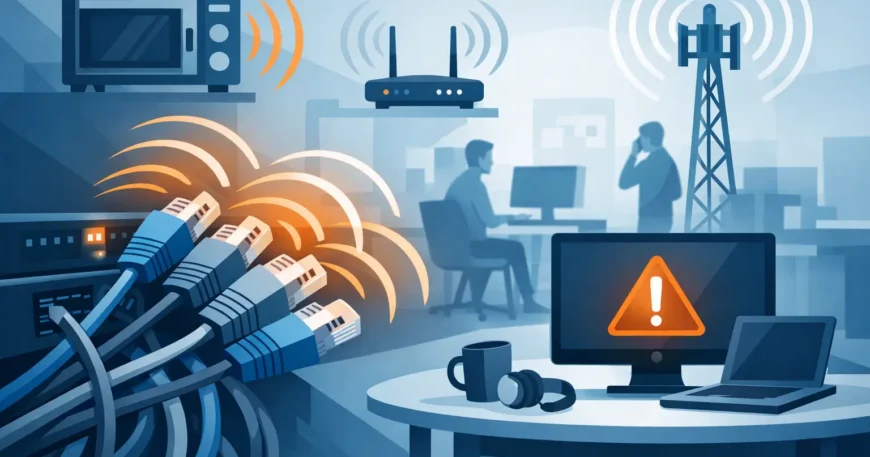
A network can look fine on paper yet still drop video calls, slow down file transfers or leave security cameras intermittently offline. When clients ask what causes network cable interference, the answer is usually not the internet service itself. More often, it is a cabling route, installation detail or nearby electrical equipment affecting the signal between the network switch and the device.
Interference is not always obvious. It may only appear when machinery starts, lights are switched on, a lift operates or a high-use area of the network becomes busy. Finding the real cause requires looking at the cable type, pathway, terminations, electrical environment and the way the system was installed as a whole.
What causes network cable interference?
Network cable interference occurs when unwanted electrical or radio-frequency energy affects the data signal travelling through copper cabling. Ethernet cable is designed to reject a great deal of electrical noise. Its twisted pairs help cancel interference naturally. However, that protection has limits, especially where cabling is poorly routed, damaged, incorrectly terminated or installed beside high-powered electrical systems.
The result can range from minor performance issues to complete link failures. A device may negotiate at 100 Mbps rather than 1 Gbps, cameras may lose connection, voice calls may sound distorted, or a switch port may repeatedly disconnect and reconnect. These faults are frustrating because they can appear random, but they usually leave a pattern once the installation is properly assessed.
Electrical cables and high-current equipment
The most common source of interference is proximity to electrical power. Data cables installed parallel to mains cabling for long distances can pick up electromagnetic noise, particularly where the power circuit serves heavy loads. Motors, air-conditioning units, compressors, pumps, commercial kitchen equipment, welders and warehouse machinery can all create electrical noise when operating.
The risk depends on several factors. A brief crossing of a power cable at a right angle is generally far less concerning than running data and power together in the same tray for tens of metres. The voltage, current draw, cable separation, containment material and quality of the network cable all matter.
In offices, the issue may be a crowded ceiling space where new Ethernet runs have been laid across existing electrical services. In warehouses and workshops, it is more likely to be long cable pathways near motors, distribution boards or machinery. In homes, power cabling near a communications cabinet, theatre equipment or an outdoor air-conditioning unit can cause similar trouble.
Fluorescent lighting, LED drivers and power supplies
Lighting can also be a source of electrical noise. Older fluorescent fittings and their ballasts are well known for this, but modern LED systems are not automatically free of problems. Low-quality LED drivers, dimmers and switched-mode power supplies can introduce noise, especially if a data cable is routed directly alongside lighting circuits.
The same applies to battery chargers, uninterruptible power supplies, solar inverters and some power-over-Ethernet equipment. These devices do not always cause an issue, but they deserve attention when a fault occurs at specific times of day or only after a particular circuit is energised.
Radio-frequency interference
Radio-frequency interference, often called RFI, can come from wireless transmitters, two-way radios, broadcast equipment and certain industrial devices. Copper Ethernet is normally more vulnerable to this than fibre optic cabling, although properly installed twisted-pair cable handles typical office and residential wireless equipment well.
A network rack positioned close to radio equipment, a communications room beside a plant area, or cabling running through an industrial site may need extra planning. In these environments, shielding, pathway separation and fibre backbone connections can be sensible rather than optional.
Poor installation creates avoidable problems
Not every interference complaint is caused by external electrical noise. Many are installation faults that weaken the cable’s ability to carry data correctly. Structured cabling is a system, not simply a cable pulled from one point to another.
Cat5e and Cat6 cables rely on the twist rate of each pair to control noise and crosstalk. Untwisting pairs too far at a jack or patch panel, using the wrong termination pattern, crushing the cable with staples, bending it sharply, or pulling it beyond its rated tension can reduce performance. The cable may still pass basic continuity testing while failing under network load.
Poor-quality patch leads can create the same symptoms. A well-installed horizontal cable run can be undermined by a damaged lead under a desk, an unsuitable coupler or a poorly terminated wall outlet. This is why fault-finding should include the entire channel from switch port to end device.
Crosstalk between network cables
Crosstalk is interference created by one cable or wire pair affecting another. Some level of crosstalk is anticipated in cable design, which is why cable categories and performance ratings exist. Problems arise when inferior cable is used, pairs are disturbed during termination, bundles are too tightly compressed, or high-speed links are installed without allowing for the environment.
Cat6 cabling generally provides better protection and headroom than Cat5e, particularly for modern gigabit networks. That does not mean Cat6 will correct a poor installation. Correct pathways, clean terminations and certified testing remain essential.
Where a project needs higher bandwidth over longer distances, or where electrical noise is significant, fibre is often the better backbone choice. Fibre does not conduct electrical interference and is not affected by electromagnetic fields in the same way as copper. It does, however, require suitable equipment, specialist termination and thoughtful design at each end.
Grounding and shielding must be handled correctly
Shielded network cable can help in high-interference environments, but it is not a universal upgrade. Shielding only works properly when the cable, jacks, patch panels and rack components are compatible and correctly grounded. Installing shielded cable with non-shielded hardware, or grounding it incorrectly, can provide little benefit and complicate fault diagnosis.
For many office, retail and residential installations, unshielded Cat6 installed with correct separation from power is the practical and cost-effective option. Shielded cabling is more appropriate around industrial equipment, major electrical services, high-density plant rooms or locations with known electromagnetic issues.
A professional site assessment can determine whether shielding is needed. Paying for specialised cable where good pathway design would solve the issue is unnecessary. On the other hand, using standard cable in a demanding environment can create repeat call-outs and downtime that cost more than doing the job correctly from the start.
Physical damage and environmental conditions
Cables can be damaged during fit-outs, renovations, moves or routine maintenance. A cable pinched behind a wall plate, squashed in a door frame, exposed to moisture or chewed by pests may develop intermittent faults. In warehouses, cables can be affected by vibration, forklifts, heat, dust and poorly protected pathways. In apartment buildings and retrofits, older risers and congested ceiling spaces can make damage more likely.
Moisture is particularly problematic. Water ingress can corrode connectors and alter cable performance, even when the damage is not visible at the outlet. External-rated cable and suitable containment should be used wherever cabling is exposed to weather, damp areas or temperature extremes.
Keep network cable runs away from heat sources where possible. Excess heat can shorten cable life, particularly in roof spaces, plant rooms and poorly ventilated communications cupboards. A neat, labelled installation makes these risks easier to inspect and manage over time.
How to identify the source of interference
The starting point is to define the fault clearly. Is one device affected or an entire area? Does it happen continuously, at busy times or when equipment starts? Does the switch show link flaps, errors or a lower-than-expected connection speed? These details narrow the search quickly.
A practical diagnosis usually includes checking patch leads and ports, inspecting cable pathways, reviewing nearby electrical equipment and testing the cable run with appropriate certification equipment. A basic tester can confirm that wires are connected, but it may not identify crosstalk, return loss, attenuation or intermittent performance faults. Certification testing provides a much clearer picture of whether a run meets its intended category standard.
It can also be useful to temporarily move or isolate equipment. If a camera fault begins only when a roller door motor runs, or network errors disappear after a suspect lighting circuit is switched off, the relationship is worth investigating. The permanent solution may be to reroute the data cable, increase separation, improve containment or use fibre for that section.
Preventing interference in new and existing cabling
Good network performance starts with a planned installation. Data cables should follow dedicated pathways where practical, maintain sensible separation from power, and cross electrical cabling at right angles when paths must meet. Communications cabinets, patch panels and switches should be kept orderly, labelled and accessible for service work.
Use cable that suits the project rather than selecting solely on upfront price. Cat6 is a sound choice for many current installations, while fibre is often the right answer for building backbones, long distances and electrically noisy locations. Quality jacks, patch panels and patch leads are equally important.
For existing sites, avoid treating recurring drop-outs as a device problem until the cabling has been checked. Rebooting a switch may restore service temporarily, but it will not repair a damaged run, a poor termination or an unsuitable cable route. Georgia Technical Services can assess cabling faults, test existing infrastructure and provide practical upgrades for homes, offices, warehouses and multi-dwelling properties.
Reliable connectivity is rarely the result of one expensive component. It comes from sound design, professional installation and a cable system that suits the building it serves. When the network starts behaving unpredictably, a careful inspection of the physical layer is often the fastest path back to dependable service.
