

A video call drops out just as a client joins. Security cameras freeze for several seconds. Staff blame the internet provider, but the real fault may be hidden above the ceiling or behind a wall. Knowing when to replace old network wiring can prevent those recurring interruptions from becoming a costly outage.
Network cabling is easy to overlook because it is largely out of sight. Yet it carries the traffic for computers, Wi-Fi access points, phones, cameras, access control, point-of-sale equipment and more. If the cable system cannot support the equipment connected to it, a faster internet plan or new router will not fix the underlying problem.
When to replace old network wiring
Age alone is not an automatic reason to remove every cable in a building. Well-installed cabling can remain serviceable for years. The decision comes down to condition, performance, capacity and the plans for the property.
Older Cat5 cabling is a common warning sign. It was designed for earlier network demands and may be limited to 100 Mbps in real-world installations. Cat5e can often support gigabit Ethernet when it has been installed and terminated correctly, but its condition still needs to be tested. For new runs, Cat6 is usually the practical baseline for homes, offices, warehouses and multi-dwelling properties because it provides more headroom for current equipment and future expansion.
Replacement is often the sensible option when cable testing shows inconsistent results, links are dropping below their expected speed, or faults keep returning after patch leads and network hardware have been checked. A certified cable test identifies issues that are not visible from the outside, including excessive length, split pairs, poor termination, damaged conductors and interference.
Signs the cabling is holding your network back
Intermittent faults are one of the clearest signs of ageing or poorly installed wiring. A device may connect normally in the morning but lose connection under load, during warm weather or after other equipment starts operating. These faults can be difficult to trace because they may affect only one outlet, one cable route or one section of a patch panel.
Slow transfer speeds also deserve investigation. If a workstation, camera recorder or server should have a gigabit connection but negotiates at 100 Mbps, the cause could be an old cable category, a damaged pair, an unsuitable termination or a poorly fitted wall outlet. Replacing switches before testing the fixed cabling can waste time and money.
Physical condition matters as well. Cables that have been crushed under flooring, stretched too tightly, exposed to water, chewed by pests or left hanging without support should be assessed. In warehouses and plant areas, vibration, dust, heat and accidental impact can shorten cable life. In older offices and homes, renovations may have left abandoned cables, hidden joins or wiring that no longer meets the needs of the room.
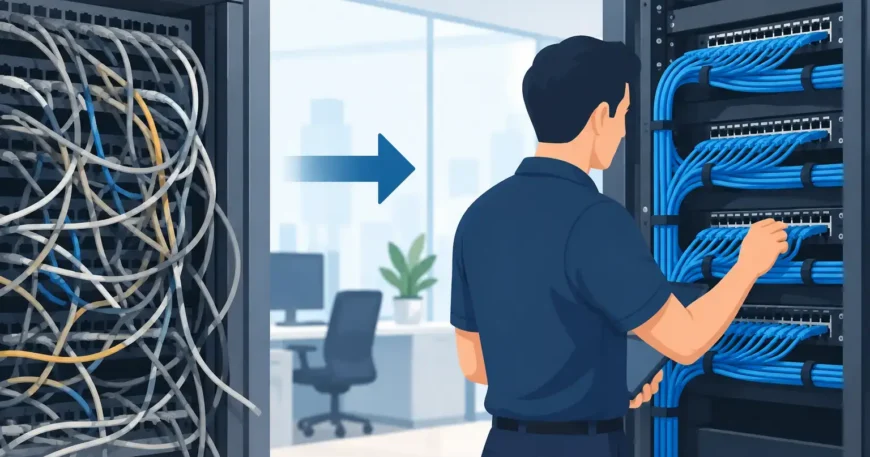
Other warning signs include a crowded communications cabinet, unidentified cables, tangled patching and no labelling. These conditions do not always mean every cable must be replaced, but they make fault finding slower and increase the risk of accidental disconnection. A clean, labelled cabinet and properly terminated patch panels give future technicians a clear starting point.
Capacity changes are a strong reason to upgrade
A network that worked well five years ago may be undersized now. The change is rarely one device alone. It is usually the combined demand of cloud applications, high-resolution IP cameras, video meetings, Wi-Fi coverage, VOIP phones, smart building systems and more connected staff or residents.
For a small office, adding a few access points and cameras may expose limitations in the existing cable runs. For a warehouse, new scanners, wireless coverage and surveillance can place greater demand on backbone links. For apartment buildings and high-rise retrofits, the stakes are higher: old in-building wiring can prevent a property owner from delivering reliable high-speed service to each unit.
Fibre is worth considering where distances are long, buildings are connected across a site, or backbone traffic has outgrown copper. Fibre is not a replacement for every desktop outlet, but it is often the right solution between communications rooms, floors, warehouse zones or separate buildings. A planned combination of fibre backbone infrastructure and Cat6 horizontal cabling provides a practical path for growth.
Do not assume Wi-Fi makes cable unnecessary
Wi-Fi depends on wired infrastructure. Every access point needs a dependable connection back to the network, and many need Power over Ethernet as well. When the cable feeding an access point is old, damaged or limited, users may see weak coverage, inconsistent speed or devices dropping out even though the wireless equipment itself is new.
The same principle applies to IP cameras, intercoms, door access systems and VOIP handsets. These systems often rely on a single Ethernet cable for both data and power. Poor cabling can lead to camera reboots, audio problems, unreliable door release functions or equipment that goes offline without warning.
A wired connection remains the better choice for fixed, high-demand equipment such as desktop computers, smart TVs, gaming systems, conference-room hardware, servers and network video recorders. Replacing old wiring during a renovation is usually far less disruptive than opening walls after the room is finished.
Replace selectively or re-cable the whole site?
It depends on the test results and the condition of the installation. Selective replacement can be cost-effective when faults are limited to a handful of runs, the existing cable category supports the required speed, and cable pathways are still accessible. This is often suitable for a small office, a home network or a recently fitted-out tenancy with isolated damage.
A full re-cable makes more sense when the property has widespread Cat5 wiring, repeated faults in multiple areas, undocumented modifications or a major change in use. It can also be the better long-term value during a refurbishment, tenancy fit-out or MDU retrofit, when walls and ceilings are already open and new pathways can be installed properly.
Avoid a patchwork approach where new equipment is connected through old, unlabelled cable simply because it is already there. It may reduce the upfront cost, but it can leave a business with inconsistent speeds, more service calls and an installation that is harder to manage. A professional site assessment helps separate cable runs that can stay from those that should be retired.
What a proper wiring upgrade should include
Replacing cable is not just a matter of pulling a new run from one room to another. The result depends on planning, pathway access, termination quality, testing and documentation. Before work begins, the installer should identify device locations, equipment rooms, likely expansion points, power requirements and any areas where cable must be protected from damage.
A well-executed upgrade normally includes appropriately rated cable, secure routes, correctly fitted outlets, patch panels, cabinet organisation, cable labels and testing of each installed link. In commercial settings, this makes moves, additions and changes much easier. In residential projects, it means the home is ready for stronger Wi-Fi, streaming, home offices, cameras and future smart devices without relying on exposed cables or unreliable extenders.
It is also a good opportunity to remove redundant wiring and tidy communications spaces. Retaining a clearly labelled legacy cable may be useful where it serves a working system. Leaving a mass of unidentified, disconnected cable in a cabinet is rarely helpful.
Plan around disruption, not just price
The lowest quote is not always the lowest operational cost. Access to occupied offices, warehouse racking, apartment corridors, ceiling spaces and finished walls can affect the job scope. In some cases, work can be staged after hours or by floor to keep tenants, staff and residents connected while the upgrade progresses.
Ask for a clear scope that explains what is being replaced, what cable category will be used, how the runs will be tested and how the final installation will be labelled. If fibre, cameras, Wi-Fi or VOIP are part of the project, make sure the cabling plan accounts for them from the start rather than treating each system as a separate job.
Old network wiring does not need to wait for a complete failure before it gets attention. A few dropouts, poor test results or a planned expansion are enough reason to assess the system. Addressing the weak points now gives your property a cleaner, more dependable foundation for the equipment it relies on every day.
