

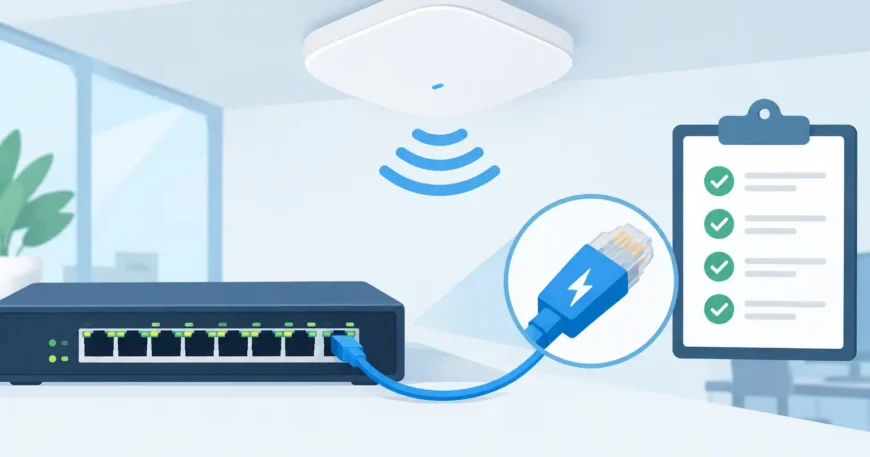
A ceiling-mounted access point is only useful if it stays online when the office is busy, tenants are streaming, or warehouse staff are scanning stock. So, can PoE power access points? Yes. Power over Ethernet is one of the most practical ways to power modern Wi-Fi access points because one data cable carries both network connectivity and low-voltage power.
That simple answer needs a few checks before installation. The access point must support PoE, the switch or injector must provide the right standard and enough power, and the cabling needs to be correctly installed and tested. Get those details right and you avoid separate power outlets, wall plugs and difficult ceiling power work.
Can PoE Power Access Points Reliably?
PoE sends safe DC power through the twisted pairs in Ethernet cable while also carrying data. A PoE-capable network switch, often called a PoE switch, supplies that power. The access point receives it through its Ethernet port, so installers can position the device where Wi-Fi coverage is best rather than where a general power outlet happens to be available.
For homes, this may mean placing an access point centrally in a ceiling to improve coverage across multiple rooms. In an office, retail space or apartment building, it allows access points to be mounted through corridors, shared areas and individual levels without adding a power outlet at every location. In warehouses, PoE makes it easier to install coverage where mobile terminals, scanners and wireless devices need it most.
Reliability comes from the system design, not simply from plugging in a cable. Professional termination, correctly rated cable, appropriate switch capacity and sensible access point placement all matter. A poorly terminated cable can cause intermittent power or data faults that look like a Wi-Fi problem but are actually a cabling issue.
Match the PoE Standard to the Access Point
Not all PoE equipment supplies the same amount of power. The required standard is normally listed in the access point specification as 802.3af, 802.3at or 802.3bt. These are industry standards that allow compatible equipment to negotiate power safely.
IEEE 802.3af, often called PoE, can provide up to 15.4 watts at the switch port. Allowing for cable loss, an endpoint can generally receive up to 12.95 watts. This is sufficient for many basic access points, particularly models with a single radio and modest feature set.
IEEE 802.3at, known as PoE+, increases available power to 30 watts at the switch port and around 25.5 watts at the device. It is a common requirement for business-grade Wi-Fi 5 and Wi-Fi 6 access points, especially models using multiple radios, faster Ethernet ports or added Bluetooth and IoT functions.
IEEE 802.3bt provides more power again. It is used by higher-demand Wi-Fi 6E and Wi-Fi 7 access points, as well as some cameras, displays and other network devices. Depending on the type, it can supply 60 or 90 watts at the source. Not every high-performance access point needs this level of power, but assuming standard PoE will be enough can lead to reduced capability.
An access point may still turn on when connected to a lower-power switch, but it may disable a radio, limit transmit power, restrict USB functions or operate with fewer spatial streams. That can leave a site with expensive hardware that never delivers its expected wireless capacity. Check the manufacturer’s recommended PoE standard, not just the minimum needed to illuminate the status light.
Passive PoE needs extra care
Some older or specialised equipment uses passive PoE rather than the IEEE standards. Passive PoE sends power on designated pairs without the same negotiation process. It can be useful when the equipment is designed for it, but it should not be connected casually to standard PoE devices.
For mixed networks, standard IEEE PoE equipment is generally the safer and easier option. It helps protect connected devices by confirming that they are PoE-capable before power is delivered.
The Switch Power Budget Matters as Much as Each Port
A common mistake is to count switch ports but ignore the total PoE budget. A 24-port PoE switch does not necessarily have enough power to run 24 access points at their maximum requirement.
For example, if 12 access points are rated at 22 watts each, the switch needs at least 264 watts available for those devices alone. If the same switch also powers IP cameras, intercoms, VoIP phones or door access equipment, the requirement rises quickly. A switch with a 195-watt PoE budget may power part of the installation but not all of it under load.
Allowing reasonable headroom is good practice. Access points do not always draw their maximum rated power, but design should account for startup demand, future firmware changes, added devices and the possibility of upgrading access points later. A practical design also identifies which ports are intended for higher-power devices rather than treating every port as identical.
For a small installation, a single-port PoE injector can power one access point. This can be cost-effective where only one device is needed. For several access points, cameras or phones, a managed PoE switch is usually the cleaner long-term solution. It reduces the number of individual power supplies, centralises equipment in the communications cabinet and can make fault finding easier.
Cable Quality and Distance Set the Limits
Ethernet and PoE are designed for a maximum channel length of 100 metres, including patch leads at both ends. Beyond that distance, voltage drop and data performance can become an issue. A remote building, warehouse extension or large property may need an intermediate communications cabinet, fibre backbone or another properly designed network solution rather than a cable run pushed beyond its limit.
Cat5e can support many PoE access point installations, but Cat6 is often the better choice for new work. It supports higher data rates, provides more capacity for current-generation access points and gives the installation a better upgrade path. For high-demand environments, carefully specified Cat6A may be appropriate, particularly where higher-speed uplinks, dense wireless use or longer permanent runs are involved.
Cable quality matters just as much as cable category. Solid copper horizontal cable, professionally terminated to recognised standards, is preferable to cheap copper-clad aluminium cable. Copper-clad aluminium may be marketed as Ethernet cable, but its higher resistance makes it unsuitable for dependable PoE work. It can create heat, voltage loss and intermittent device behaviour.
Keep network cabling away from sources of electrical interference where practical, use correctly rated cable for the environment, and ensure ceiling spaces, external runs and warehouse areas are considered during design. A cable that works on a bench may not remain reliable once installed beside machinery, in a hot roof cavity or across a long building pathway.
Plan Access Point Locations Before Pulling Cable
PoE solves the power problem, but it does not automatically solve Wi-Fi coverage. Access point locations should be chosen according to building materials, floor plan, user density and the type of work being done. Concrete, metal shelving, lift cores, fire-rated walls and densely packed stock can all weaken or block wireless signals.
One access point at the end of a long office rarely produces the same result as correctly positioned units throughout the space. Likewise, adding more access points without channel planning can create overlap and interference. In apartments and multi-dwelling properties, neighbouring networks and structural walls make planning especially important.
A practical installation starts with the required coverage areas and likely number of connected devices. From there, cabling routes, cabinet location, switch size and access point mounting points can be planned as one system. This approach avoids visible surface cabling, last-minute injectors and access points installed where they are easy to reach rather than where they perform best.
What to Check Before Installing PoE Access Points
Before committing to equipment, confirm the access point’s PoE requirement, its expected power draw and whether it requires a particular injector or switch type. Confirm the total switch power budget, the number of available ports and whether cameras, phones or other devices will share the same switch.
Then check cable routes and distance. Each run should remain within Ethernet limits and use suitable copper cabling, properly terminated and tested. Consider future demand as well. A business adding staff, a warehouse changing layout or a property manager upgrading common-area surveillance may need extra ports and power sooner than expected.
For larger sites, a structured cabling and network plan keeps these decisions clear. It also makes future moves, additions and troubleshooting far simpler because every cable, port and device has an identifiable purpose.
A properly designed PoE installation puts access points where people actually need Wi-Fi, while keeping power and network equipment organised in one place. If coverage is inconsistent or an upgrade is on the cards, have the cabling, switch capacity and access point locations assessed together before the next device goes on the ceiling.
