

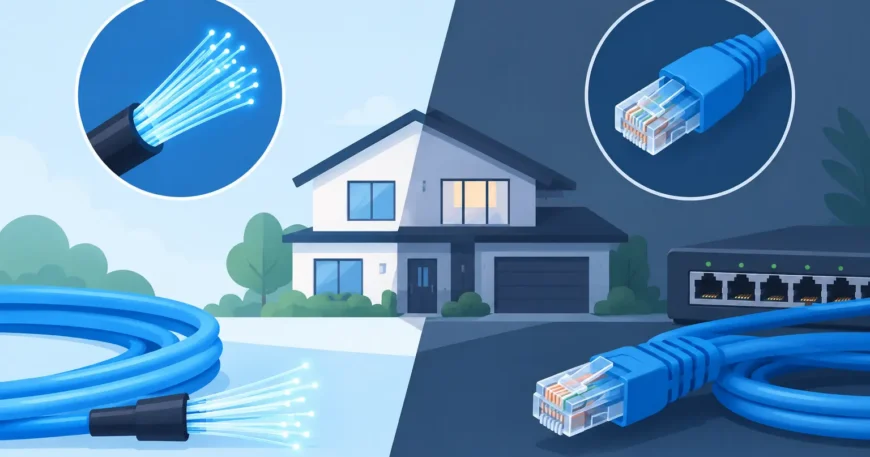
A fast internet plan will not fix weak Wi-Fi, ageing wall sockets or a poorly planned network. That is why fibre internet vs ethernet wiring is not really an either-or decision for most properties. Fibre usually brings internet to the building; Ethernet wiring distributes that connection reliably to the places where people and equipment need it.
For a house, office, warehouse or apartment building, the right design starts by separating the provider connection from the internal network. Once that distinction is clear, it becomes much easier to spend money where it will make a measurable difference.
Fibre internet vs Ethernet wiring: the key difference
Fibre internet is the service connection delivered from a carrier network to your premises. Depending on the service available, this may be fibre to the premises, fibre to the building, fibre to the node, or another NBN or private-provider arrangement. Fibre uses light through optical cable, which gives it excellent capacity over long distances and makes it well suited to carrier networks, building backbones and larger sites.
Ethernet wiring is the local cabling network inside the property. In most homes and smaller commercial sites, this means Cat6 or Cat6A copper cable running from a central communications cabinet or rack to wall outlets, wireless access points, cameras, televisions, desks, printers and other connected devices. These cables carry data using Ethernet standards.
The two work together. A fibre service may terminate at an NBN connection box, network termination device or carrier hand-off. From there, a router and network switch send the connection through Ethernet cabling to each part of the building. Think of fibre as the road into the property and Ethernet as the streets that get traffic to each room, workstation or device.
There is one technical detail worth knowing: Ethernet is a network standard, not only a copper cable type. Fibre can also carry Ethernet. In everyday property discussions, though, “Ethernet wiring” usually means fixed Cat6 or Cat6A copper cabling within the building.
What fibre does best
Fibre is the preferred choice where long distances, high capacity or future growth matter. It is not affected by electromagnetic interference in the same way as copper, and it can support very high speeds across far greater distances. This makes it a practical backbone between buildings, floors, communications rooms and distribution cabinets.
For multi-dwelling buildings, a fibre backbone can run from the main communications room to floor cabinets or individual units. For warehouses and larger offices, it can connect separate areas without the distance limitations of standard copper Ethernet. Copper Ethernet is generally designed for channel lengths up to 100 metres. Beyond that, fibre is normally the cleaner solution.
Fibre is also useful where equipment is exposed to electrical noise, such as industrial areas, lift plant rooms or locations near heavy machinery. Because fibre does not conduct electricity, it can help avoid some grounding and interference issues that need careful management with copper cabling.
However, fibre does not automatically improve every device connection. If the service is fast but the router, Wi-Fi access point, switch or endpoint is outdated, performance may still fall short. Fibre capacity needs a properly designed network behind it.
Fibre service availability changes the starting point
Not every property has the same fibre option at the boundary. Before planning an upgrade, confirm what service technology is available and where the provider equipment will be located. This affects the route for internal cabling, the size and position of the communications cabinet, power requirements and the equipment needed to distribute the connection.
For new builds and major renovations, planning this early avoids surface-mounted cables, cramped cupboards and expensive rework later. In retrofits, a site inspection can identify existing conduits, risers, ceiling spaces and practical routes for a clean installation.
Where Ethernet wiring delivers the biggest benefit
Ethernet wiring gives devices a fixed, stable connection back to the network. It is particularly valuable where a dropped video call, slow file transfer or unreliable wireless signal causes real disruption.
In homes, wired Ethernet is ideal for home offices, smart TVs, gaming systems, security camera recorders, wireless access points and media rooms. A wired access point in the right location usually provides better whole-home Wi-Fi than relying on one router at the edge of the house.
In commercial properties, Ethernet cabling supports workstations, voice-over-IP phones, printers, access control, CCTV cameras, conference rooms and point-of-sale equipment. A properly labelled cabling system also makes fault finding and future changes much faster. Instead of tracing unidentified cables through a ceiling, staff can identify the outlet, patch panel port and switch connection quickly.
For warehouses, Ethernet wiring can support office areas, wireless access points, scanners, cameras, paging equipment and networked controls. The design needs to account for high ceilings, racking, vehicle movement, dust and the distance between network points.
Cat6 or Cat6A?
Cat6 is a sensible choice for many residential and standard office installations. It supports gigabit networking comfortably and can support higher speeds over shorter runs when the full channel is designed correctly.
Cat6A is often the better option for new commercial work, high-end homes, larger wireless deployments and locations where 10-gigabit capability may be needed. It has better performance margins and is designed to support 10GbE over the full 100-metre channel. It is thicker and less flexible than Cat6, so installation quality and pathway planning matter.
The best choice depends on the building, cable routes, equipment, expected lifespan and budget. Installing the cheapest cable is not always affordable if ceilings need to be opened again when the network outgrows it. On the other hand, specifying Cat6A everywhere may not be necessary for a small property with modest requirements.
Performance is limited by the weakest link
A common mistake is to compare an internet plan speed with the theoretical speed printed on a cable box. They measure different parts of the network.
If a property has a 250 Mbps fibre service, Cat6 wiring is more than capable of carrying that internet connection. If it has a 1 Gbps service but an old 100 Mbps switch, the switch becomes the bottleneck. If a laptop uses congested Wi-Fi, the cable to the access point may be perfect while the wireless connection remains the limiting factor.
A practical network review should consider the full path: the carrier service, router or firewall, network switches, fixed cabling, Wi-Fi access points and the devices themselves. This is especially important for offices where cloud applications, video meetings, security systems and phone services operate at the same time.
Power over Ethernet, usually called PoE, is another reason fixed cabling matters. A single Ethernet cable can provide both data and power to compatible access points, IP cameras, intercoms and VoIP phones. This reduces the need for separate power outlets at each device, but the switch must have adequate PoE capacity and the cabling must be installed and tested correctly.
Planning the right mix for each property
Most properties benefit from a hybrid approach: fibre where distance and backbone capacity call for it, then structured copper Ethernet wiring to the points of use. The scale of that mix changes with the property type.
A homeowner may only need a fibre service termination, a centrally located router, a small network switch and Cat6 runs to a study, television area and two ceiling-mounted access points. That setup can remove common Wi-Fi dead spots while keeping the installation focused and affordable.
An office may need a rack, patch panels, managed PoE switches, Cat6A to desks and access points, and fibre links between floors or separate communications rooms. A warehouse may need fibre between distant buildings, then industrially appropriate copper runs for local equipment.
Apartment owners and property managers have additional decisions. A fibre backbone can provide a path to modern connectivity across the building, while each unit may need Ethernet outlets for reliable work-from-home use, entertainment and Wi-Fi coverage. For retrofit projects, the challenge is often finding safe, compliant cable routes without major disruption to residents. Good planning makes a substantial difference to cost and appearance.
Installation quality matters as much as cable choice
A cable run is only useful when it is correctly routed, terminated, labelled and tested. Tight bends, excessive pulling force, poor terminations and cables run too close to electrical services can affect performance. Untidy, unlabelled work may function initially but creates problems when equipment is moved, faults occur or the property changes hands.
Use a registered cabler for telecommunications cabling work and ensure the installation meets applicable Australian requirements. For commercial and multi-dwelling projects, ask for clear outlet labels, patch-panel labelling, test results and as-built documentation. These details are not paperwork for its own sake. They make the system easier to maintain, expand and troubleshoot.
Also plan for spare capacity. A larger cabinet, a few spare conduits and additional cable runs during construction cost far less than reopening finished walls later. Where practical, allow room for a larger switch, battery backup, security equipment or additional access points.
The useful question is not whether fibre or Ethernet is better. It is where the internet enters your property, where reliable connectivity is needed, and what the network must support over the next five to ten years. A properly planned combination gives you a network that works properly now and leaves room for what comes next.
