

A slow or unreliable office network is not always an internet-provider problem. It is often caused by an undersized, poorly configured or ageing network switch sitting in a comms cabinet. The right office switch recommendations start with how your staff, devices and cabling actually operate – not simply the lowest price or the largest port count on a box.
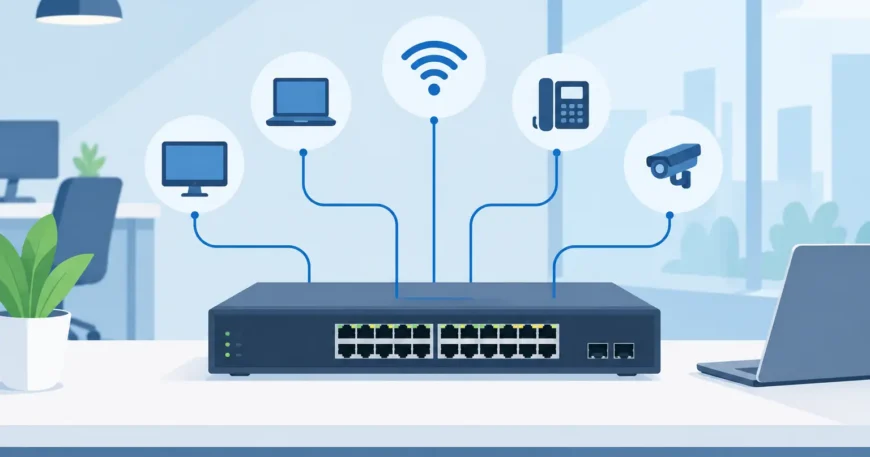
A switch is the central traffic point for wired devices. Desktop computers, wireless access points, VoIP handsets, printers, cameras, meeting-room equipment and servers all depend on it. Choosing correctly helps prevent dropouts, congestion and expensive rework when the office grows.
Start with the number of connected devices
Count every device that needs a wired connection, including devices that may not be obvious during an initial walkthrough. A 15-person office may need more than 15 ports once phones, access points, printers, CCTV cameras, door access equipment, conference-room systems and spare desks are included.
Do not specify a switch with exactly enough ports for today. Leave room for change. As a practical rule, allow at least 20 to 30 per cent spare capacity. If your count is 19 active connections, a 24-port switch may work, but a 48-port switch can be the better long-term choice where expansion is likely. The additional upfront cost is often far less than adding another cabinet, patch panel, power outlet and switch later.
For small offices with a handful of wired devices, an eight- or 16-port switch can be sufficient. Most established offices are better served by a 24-port managed switch. Larger floors, warehouses and multi-tenant sites commonly need multiple 48-port switches, planned as part of a structured cabling layout rather than installed one at a time as ports run out.
Managed or unmanaged: make the right trade-off
An unmanaged switch is plug-and-play. It can be appropriate for a very small, simple network where every device belongs on the same network and there is no need to monitor usage or isolate traffic. It is affordable and quick to install, but it provides very little visibility or control when something goes wrong.
For most business premises, we recommend a managed switch. Managed equipment allows a technician to create separate virtual networks, known as VLANs, for staff, guest Wi-Fi, phones, security cameras and building systems. This improves security and makes faults easier to identify. A camera problem should not interfere with office computers, and visitors using guest Wi-Fi should not be able to see business devices.
Managed switches also support monitoring, port controls and traffic priorities. Those features matter when calls are breaking up, a device is using excessive bandwidth, or an unused wall outlet needs to be disabled. The trade-off is that managed hardware needs proper configuration. Buying a capable switch without planning the network can create just as many issues as buying the wrong switch.
Choose speed based on the work being done
Gigabit Ethernet remains the practical baseline for office desks, printers, phones and most connected devices. It is usually more than adequate for general administration, cloud applications, web use and VoIP.
However, the uplink between switches, the router or firewall, servers and network storage requires more thought. If 30 or 40 users share a single one-gigabit uplink, it can become a bottleneck during backups, large file transfers, cloud synchronisation or video meetings. A switch with 10Gb fibre or copper uplink ports provides useful headroom without requiring every desk connection to run at 10Gb.
Multi-gigabit ports are also worth considering where high-performance wireless access points are planned. Newer Wi-Fi equipment can exceed one gigabit of real-world aggregate traffic. A 2.5Gb switch port lets the access point perform properly when the cabling supports it.
Your existing cabling affects this decision. Cat5e typically supports gigabit Ethernet and can often support 2.5Gb over shorter runs. Cat6 is a stronger choice for new office cabling, especially where multi-gigabit connections or future expansion are expected. Testing and labelling each cable run before commissioning helps ensure the switch can deliver the speed being specified.
Check PoE power before buying a switch
Power over Ethernet, or PoE, allows a network cable to provide both data and power. It is commonly used for VoIP phones, wireless access points, IP cameras, intercoms and some access-control equipment. PoE reduces the need for separate power points at each device and keeps critical devices supported by the power protection in the communications rack.
The important figure is not only the number of PoE ports. It is the total PoE power budget. A 24-port PoE switch may have enough ports for 24 devices but insufficient wattage to power all of them at peak demand.
Add up the maximum power requirement of each planned device, then allow a sensible margin. Standard PoE may suit phones and basic cameras, while PoE+ is often required for higher-powered access points, PTZ cameras and video intercoms. Some specialised equipment needs higher-power PoE standards again. Confirm the equipment requirements before ordering, particularly if the office is adding Wi-Fi 6 or Wi-Fi 7 access points.
Prioritise uplinks, fibre and redundancy
A switch should not be selected in isolation. It needs to fit the wider network design, including the firewall, internet service, server room, cabling pathways and any other floors or buildings.
Fibre uplink capability is valuable in larger offices, warehouses, high-rise properties and sites with long cable runs between cabinets. Fibre supports higher speeds over greater distances and avoids the electrical interference issues that can affect copper in industrial settings. Switches with SFP or SFP+ slots provide flexibility for fibre connections now or later.
For sites where downtime has a direct operational cost, consider redundancy. This may include dual power supplies, spare uplink paths, switch stacking or a backup switch held on site. Not every small office needs these features, but a property manager, call centre, medical practice or warehouse operation may find the additional protection worthwhile.
Make security and support part of the specification
A network switch is not just a port expansion device. It is part of the security boundary for the office. Managed switches should support VLANs, secure administrator access, port security and current firmware. Unused ports should be disabled or assigned to an isolated network, particularly in publicly accessible areas and shared buildings.
Also consider how the equipment will be supported after installation. A switch with a long warranty, predictable firmware updates and readily available replacement stock is generally a safer business choice than an unknown low-cost unit. The savings from cheaper hardware disappear quickly if a failure leaves phones, Wi-Fi and point-of-sale equipment offline.
The physical installation matters too. Switches generate heat and need a clean, ventilated location. Rack-mounted equipment should be properly secured, neatly patched and labelled at both ends. Avoid leaving switches on shelves, under desks or in cupboards where cables can be disturbed and faults take longer to trace.
Office switch recommendations by site type
For a small office of up to 15 users, a managed 16- or 24-port gigabit PoE+ switch with a 10Gb uplink option is a sensible starting point. It supports phones, access points and a few cameras while retaining capacity for new desks.
For a growing office of 20 to 50 users, a 24- or 48-port managed PoE+ switch, or a pair of properly configured switches, is usually more appropriate. Include VLAN capability, 10Gb uplinks, an adequate PoE budget and labelled Cat6 cabling to each work area.
For larger offices, warehouses and multi-floor premises, plan a central core switch and separate access switches by area or floor. Fibre backbone cabling, rack design, UPS protection and documented network layouts should be part of the project from the beginning. This approach costs more than adding equipment gradually, but it is easier to manage and far more dependable over time.
Georgia Technical Services can assess existing cabling, connected equipment and future requirements before recommending and installing the right switching solution. A practical site assessment can identify whether the real issue is the switch, the cabling, Wi-Fi coverage, the internet connection or a combination of all four.
Before replacing equipment, document what is connected, how much power it needs and where the business expects to be in two or three years. That small amount of planning turns a switch purchase into an investment in a network that can keep up with the work.

