

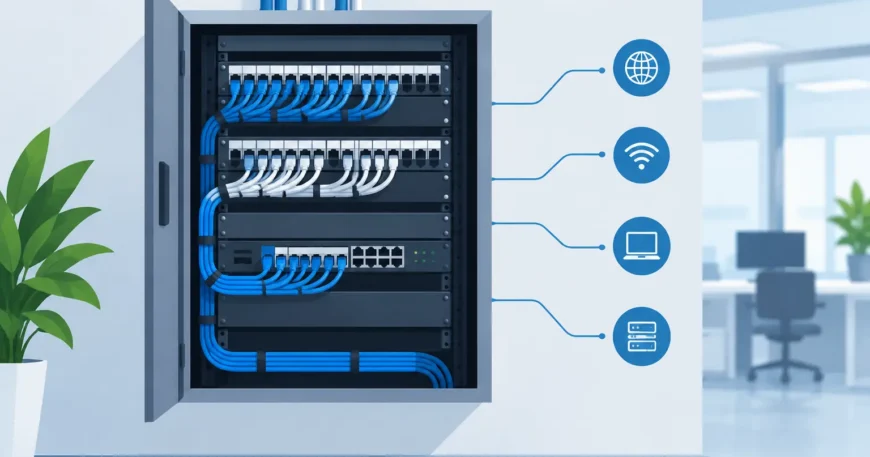
A fast internet plan cannot compensate for a poor cabling layout. When the modem, security recorder, network switch, phone service and room connections are scattered through cupboards, ceilings and spare rooms, routine faults become harder to find. Structured wiring panels bring those services into one organised location, giving property owners a cleaner installation and a practical base for future upgrades.
For a homeowner, that may mean dependable wired connections for a home office, smart TVs, access points and cameras. For a business or apartment property, it can mean easier moves, additions and changes without repeatedly opening walls or running temporary leads through work areas.
What a structured wiring panel does
A structured wiring panel is an enclosure or cabinet that acts as the central distribution point for low-voltage services. Incoming internet or fibre equipment, Ethernet cabling, telephone or VoIP connections, CCTV equipment and sometimes audio-visual cabling can be terminated, labelled and managed in the same place.
The panel itself is not what creates speed. Its value is organisation, protection and serviceability. Fixed cables from rooms and devices return to patch panels or termination blocks inside the enclosure. Active equipment, such as a network switch, router, power supply or video recorder, can then connect to those fixed runs with short patch leads.
That distinction matters. Permanently installed cable should not be pulled in and out of a router every time equipment changes. A properly terminated panel separates the building wiring from the equipment, making replacement and fault-finding far simpler.
Where structured wiring panels make the most sense
Panels are useful wherever multiple low-voltage services need to work together. They are particularly worthwhile in new builds, major renovations and commercial fit-outs, when walls and ceilings are already accessible. Retrofitting is also possible, although the pathway options, wall construction and access above ceilings will affect cost and scope.
In a home, a panel may support Ethernet outlets in bedrooms, a study, living areas and outdoor entertaining spaces. It can also centralise cabling for IP cameras, door intercoms, wireless access points and distributed television or audio systems. Wired connections are especially valuable where consistent performance matters, such as a desktop workstation, gaming setup, media server or security camera.
For offices, warehouses and retail sites, the panel or larger communications cabinet provides a controlled point for workstation outlets, wireless access points, VoIP handsets, printers, access control and surveillance. A small office may only need a wall-mounted enclosure. A larger operation may need a dedicated communications room, floor cabinet or server rack with cable management, ventilation and backup power.
Multi-dwelling properties need more planning again. A central backbone may feed individual units, common-area Wi-Fi, cameras, intercoms and building management services. In these projects, clear labelling and a sensible separation between common infrastructure and each tenancy are essential. They save time when residents move, services change or a fault affects one unit rather than the whole building.
Choosing the right panel location
The best location is accessible, dry, secure and close to the point where external communications services enter the building. A utility room, dedicated cupboard, communications room or appropriately planned garage wall can work well. It should not be an afterthought behind stored boxes, nor should it be placed where heat, moisture or accidental damage are likely.
Allow enough room around the enclosure for a technician to terminate cables, patch equipment and test connections. A panel that looks tidy on installation day but has no room for a switch, router, power board or spare cable is difficult to maintain later. Where active equipment will be installed, plan for a nearby power outlet, suitable ventilation and a pathway for service-provider equipment.
Avoid placing Wi-Fi equipment inside a metal enclosure if the goal is whole-property wireless coverage. Metal can reduce signal strength. The better approach is usually to locate the router or switch in the panel and run Ethernet to properly positioned wireless access points around the property.
Panel size, cable type and capacity
The right panel depends on the number of cable runs, the equipment being housed and the level of growth expected. A compact enclosure may be suitable for a modest home with a few data outlets. It becomes restrictive quickly when camera cables, additional access points, a larger switch and a battery backup are added.
As a practical rule, allow capacity beyond the first installation. Spare ports and cable pathways cost far less during the initial work than during a later retrofit. This does not mean installing equipment that may never be used. It means choosing an enclosure, patch panel and cable route that do not force expensive rework when requirements change.
Cat6 cabling is a common choice for new Ethernet installations because it provides strong performance for current network use and supports higher bandwidth over suitable distances and equipment. Cat5e remains serviceable in many existing installations, particularly for standard gigabit connections. The decision should consider budget, cable length, required speeds and whether power over Ethernet will be used for cameras, phones or access points.
Fibre may be the better backbone choice between buildings, across longer distances or in high-capacity environments. It is not a replacement for thoughtful design. Fibre still needs appropriate termination, protection, equipment and a clear plan for how services reach end devices.
What a professional installation should include
A useful panel installation is more than mounting a cabinet and pushing cables through a hole. The planning stage should identify outlet locations, equipment requirements, pathways, labelling conventions and future expansion needs. In commercial and multi-dwelling work, it should also consider access, security, tenancy boundaries and how downtime will be managed.
The fixed cabling should be installed with correct bend radius, separation from electrical services where required, suitable supports and properly terminated outlets. Each run should be labelled at both ends. Labels are not cosmetic. When an office is rearranged, a camera drops offline or a new tenant needs a live connection, accurate labels prevent wasted time tracing unidentified cables.
Testing is equally important. A cable can look fine while having a poor termination, damaged pair or performance issue that only appears under load. Testing each installed run confirms that the cabling is fit for purpose before walls are closed or equipment is placed into service.
For active network equipment, installation should account for heat, power and protection. A network switch packed tightly beside a video recorder and power supplies may work initially, then fail during a hot afternoon or after a power disturbance. Depending on the site, ventilation, surge protection and an uninterruptible power supply may be sensible additions.
Common mistakes that create costly call-outs
The most frequent problem is treating the panel as a storage box rather than a working communications point. Overcrowded cables, unlabelled terminations and loose patch leads make simple troubleshooting unnecessarily slow. Another common issue is installing too few data outlets, then relying on consumer-grade Wi-Fi extenders to cover areas that should have had a wired access point.
Poor location choices also cause trouble. A panel in a hard-to-reach roof space, a damp area or an unventilated cupboard may reduce the life of the equipment and complicate every future service visit. In commercial sites, placing communications equipment where any staff member can unplug or reset it can create avoidable outages.
Finally, do not assume every existing cable is suitable for modern use. Old telephone wiring, damaged data cable or undocumented runs may need testing before being reused. Reusing what is sound can control costs. Building a new network around unknown cabling can create recurring problems.
Planning structured wiring panels around real use
The best design starts with how the property will actually operate. A family home with remote workers has different needs from a warehouse with barcode scanners and CCTV. An apartment retrofit needs a different approach from a medical office where reliable voice, data and security systems are all business-critical.
Before installation, identify where people work, where cameras need coverage, where wireless capacity is needed and which systems need a hardwired connection. Consider the next few years as well: an additional office, extra workstations, electric gate controls, a new tenancy or higher-capacity internet service can all affect the design.
A well-planned panel is largely invisible once the job is finished. That is the point. Services remain organised, faults are easier to isolate and upgrades do not require starting from scratch. When connectivity supports the way a property is used, rather than dictating it, the wiring has been done properly.

